SEO MCP server: what it is and how to connect one
An SEO MCP server gives Claude, ChatGPT, Cursor or Codex live keyword, ranking, backlink and Search Console data. What it exposes, security and setup.
AI assistants are good at SEO reasoning and bad at SEO facts. They can plan a content cluster or rewrite a title tag, but they cannot tell you this month's search volume, who ranks in position 3 today or how many clicks your page got last week. An SEO MCP server is the piece that fills that gap.
The term gets used loosely. Some "SEO MCP servers" are an npm package you run locally with an API password in an environment variable. Others are a URL you paste into Claude and sign in to. They differ in tools, cost and security.
This guide covers what an SEO MCP server is, which tools a useful one exposes, hosted vs self-hosted options, security and how to connect SEO Sauna's server in Claude, ChatGPT, Cursor and Codex. For how to work with Claude once it has data, read Claude SEO.
What an SEO MCP server is
MCP, the Model Context Protocol, is an open standard for letting AI clients call tools on other services. An MCP server publishes a list of tools, each with a name, a description and the inputs it accepts. The AI client reads that list and decides on its own when to call a tool during a conversation.
An SEO MCP server is one whose tools return SEO data: keyword metrics, search results, rankings, backlinks, your own Google data. You ask "is this keyword worth a page?", the assistant calls the keyword tool, perhaps the SERP tool too, and answers with numbers instead of guesses.
Two things follow. You do not need to know tool names, because the assistant picks them. And the server decides what is possible: without backlink tools, no prompt will get you backlink data.
What tools an SEO MCP server should expose
The list below is a useful checklist when comparing servers. It is also roughly what SEO Sauna's server exposes today.
| Tool group | What it returns | Typical use |
|---|---|---|
| Keyword research | Volume, difficulty, CPC, intent, trends | Deciding which pages to write |
| Live SERPs | Current Google organic results | Checking intent and format before writing |
| Domain and page research | Keywords and pages any domain ranks for | Competitor analysis, content gaps |
| SERP competitor comparison | Who ranks across a keyword set | Finding your real search competitors |
| Backlinks | Backlink and referring domain overviews | Link gaps, outreach prospects |
| Rank tracking | Tracked keywords and latest positions | Weekly movement checks |
| Local search | Maps results, Business Profile audits, reviews, grid rank checks | Local SEO for businesses with a location |
| Google Search Console | Clicks, impressions, CTR, position, URL inspection | Your own performance and indexing |
| AI visibility | ChatGPT and other model answers, citations, tracked prompts | Whether AI assistants mention you |
| Project context and reports | Saved goals, competitors, key pages, HTML reports | Keeping work between conversations |
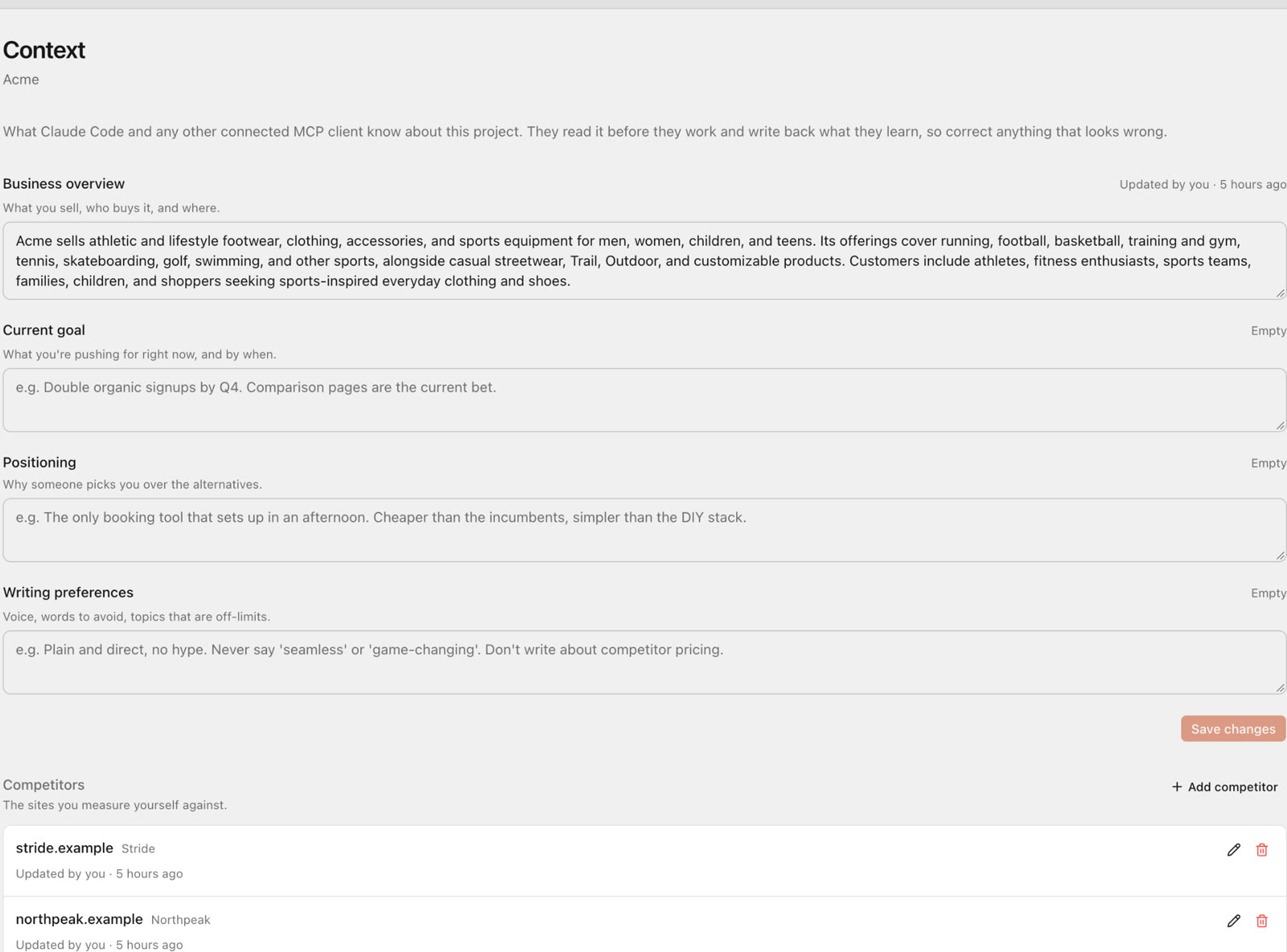
The last row is easy to overlook. Without saved context, every new chat starts from zero. Without reports, a good analysis disappears with the conversation. In SEO Sauna, the assistant can save a finished report into your project, where anyone in your workspace can open, print or export it.
The full tool list for SEO Sauna is in Connect your AI assistant.
Hosted vs self-hosted SEO MCP servers
There are two broad ways to run an SEO MCP server, and real options exist on both sides.
Self-hosted (local) servers run as a process on your own machine or server. A good example is DataForSEO's official server: you run npx dataforseo-mcp-server with your DataForSEO API login and password in environment variables, and the source is on GitHub. There are also many community servers for Search Console that need your own Google Cloud project and OAuth client or service account.
Hosted (remote) servers run on the vendor's side. You add a URL to your AI client and sign in. Ahrefs offers one at https://api.ahrefs.com/mcp/mcp, available on paid plans from Lite, and calls use API units from your monthly allowance (Ahrefs MCP docs). DataForSEO also offers a hosted endpoint, and Semrush has a remote MCP connector for its API plans (Semrush docs). SEO Sauna's server at https://app.seosauna.com/mcp is hosted too.
| Self-hosted | Hosted | |
|---|---|---|
| Setup | Node or Python, config files, credentials on disk | One URL and a sign-in |
| Works in claude.ai and ChatGPT web | Usually not, they need a public HTTPS URL | Yes |
| Credentials | Raw provider keys stored locally | OAuth sign-in, or a scoped key if you choose |
| Billing | You pay the data provider directly | The vendor's plan or credits |
| Control | Full: pick the version, read the code, change it | The vendor decides tools and updates |
| Your Google data | Your own Google Cloud setup | Depends on the vendor |
Self-host when you want full control, already pay a data provider or need everything on your own infrastructure. Go hosted when you want it working in five minutes, in web and desktop clients, without handling raw API passwords.
SEO Sauna sits on both sides: the hosted app is the easy route, and the code is open source (OpenSEO, MIT licence) if you prefer to self-host with your own provider keys. Hosted SEO Sauna gets most of its SEO data from DataForSEO.
Security: what to check before you connect
An MCP server acts on your behalf, so treat connecting one like granting an app access to your accounts.
OAuth vs API keys
With OAuth, you sign in to the service in a browser window and approve access. The client gets a token, not your password, and you can revoke it. This is the default for SEO Sauna in Claude, ChatGPT, Cursor and Codex.
With an API key, you paste a secret into the client's configuration. Keys are useful for headless environments, CI pipelines or clients without OAuth support. The trade-off is that a key is a long-lived secret on disk. SEO Sauna keys are personal: anything an agent does with your key acts as you in your workspace, and the key is shown only once when you create it. Keep it in an environment variable rather than a file you might commit, and delete keys you no longer use.
Read-only Search Console
Your Search Console account is worth protecting. SEO Sauna requests read-only Search Console access, so neither SEO Sauna nor a connected assistant can change properties, users or settings. You connect it once in the app with a normal Google sign-in, with no Google Cloud project needed. More detail is in our Search Console MCP guide.
Know which tools write or spend
Not every tool is a read. In SEO Sauna, an assistant can save keywords, update project context, save reports and configure or start AI prompt tracking. Paid data lookups use credits. Two practical habits help:
- Ask the assistant to preview costs before larger jobs. Prompt tracking and rank tracking both show a cost estimate before anything runs.
- Most clients let you approve tool calls one by one. Leave that on until you trust the workflow, and review actions the assistant proposes after reading third-party pages.
How to connect SEO Sauna's MCP server
The server URL for every client is:
https://app.seosauna.com/mcp
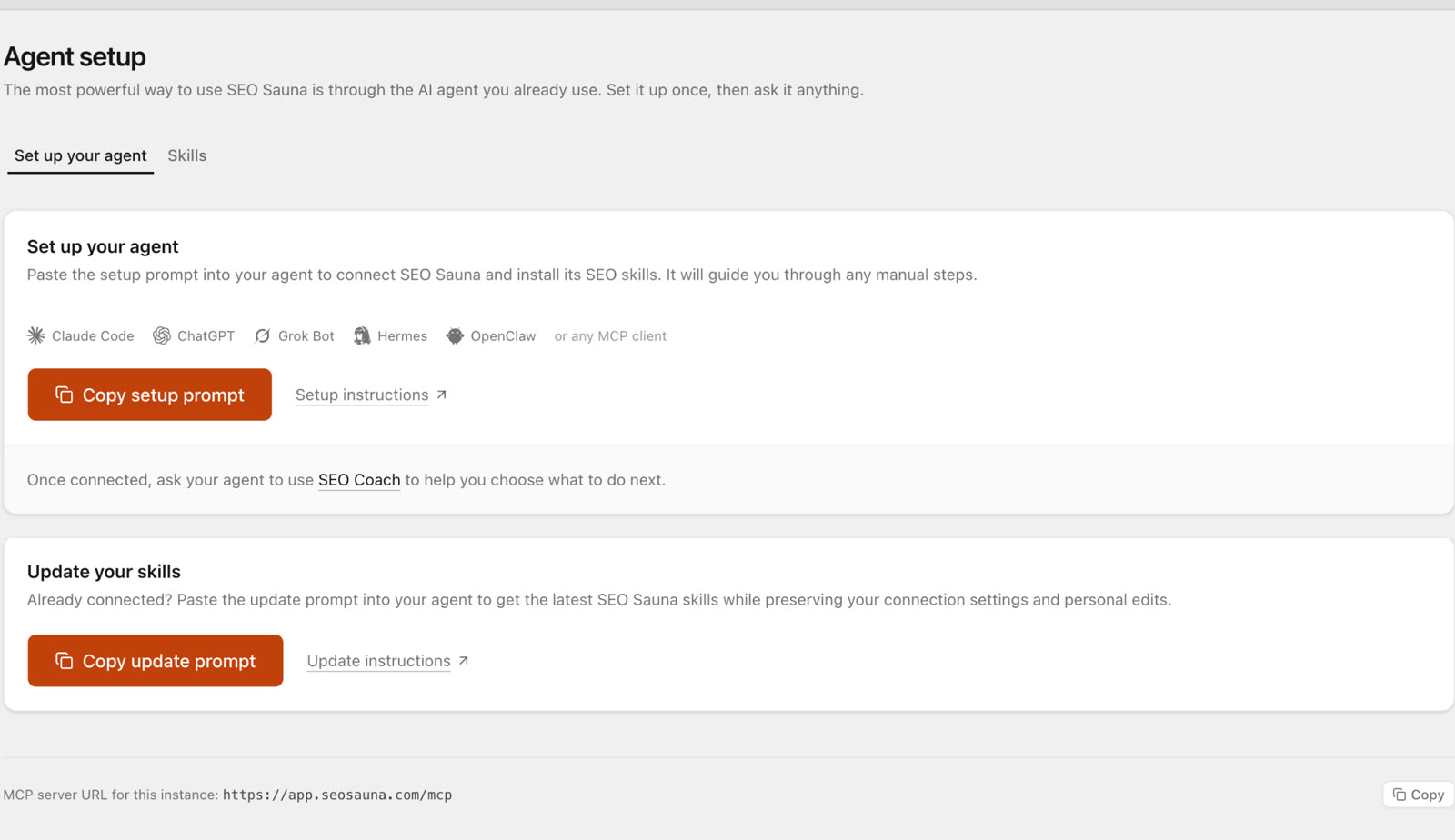
First create a free account (1,000 trial credits, no card). The first connection from any client asks you to sign in to SEO Sauna and approve access.
Claude Desktop and claude.ai
- Open Customize → Connectors.
- Click Add (or +) and choose Add custom connector.
- Paste
https://app.seosauna.com/mcp. - Approve the SEO Sauna sign-in.
Custom connectors work on Claude's Free plan (one connector) as well as Pro, Max, Team and Enterprise.
For skills, Claude Code setup and Claude-specific prompts, see Claude MCP server for SEO.
Claude Code
claude mcp add --transport http --scope user seosauna https://app.seosauna.com/mcp
User scope makes SEO Sauna available in every project. Use local scope to limit it to one repository.
ChatGPT
ChatGPT connects through a custom MCP connection, which works on Free and paid plans. Workspace permissions can limit it on Business, Enterprise and Edu.
- On chatgpt.com, enable Developer mode under Settings → Security and login if your version shows it.
- Open Plugins, select +, then Create MCP App.
- Name it
SEO Sauna, enterhttps://app.seosauna.com/mcpin full (includinghttps://) and choose OAuth. - Create the connection, sign in to SEO Sauna and approve access.
- Start a new chat and select SEO Sauna from the + / tools menu.
The interface changes often, so the ChatGPT guide has the current steps and fixes for common errors such as "Unsafe URL".
For what ChatGPT can do once connected and prompts written for it, see ChatGPT MCP server for SEO.
Cursor
Open Cursor Settings → Tools & Integrations → MCP Tools, click New MCP Server and add this to mcp.json:
{
  "mcpServers": {
    "seosauna": {
      "url": "https://app.seosauna.com/mcp"
    }
  }
}
Codex
In the Codex CLI:
codex mcp add seosauna --url https://app.seosauna.com/mcp
If no sign-in starts, run codex mcp login seosauna. In the ChatGPT desktop app, open Codex → Settings → MCP servers → Add server, name it seosauna, choose Streamable HTTP, enter the URL, restart when prompted and select Authenticate. Codex and ChatGPT web use separate connections. If Codex reports "Authorization server response missing required issuer", upgrade to version 0.147.0 or later.
Check that it works
In any client, ask:
Use SEO Sauna to check my connection and list my projects.
That read uses no credits. An empty project list still means the connection works. For API key setup and other clients, see Connect your AI assistant.
Example prompts for an SEO MCP server
Specific jobs with a clear output beat "do SEO for my site". These eight cover the main tool groups.
- Project context: "Set up an SEO Sauna project for example.com. Ask me about the business, audience and three main competitors, then save it as project context."
- Keyword shortlist: "Find keywords about [topic] in the US with difficulty under 20. Group them by intent and tell me which three deserve a page first."
- SERP check before writing: "Look at the live Google results for 'best crm for small agencies'. What format wins, and what would a new page need to compete?"
- Competitor gaps: "Which keywords does competitor.com rank for in the top 10 that we don't rank for at all? Sort by volume and skip branded terms."
- Search Console quick wins: "From my Search Console data for the last 3 months, list queries in positions 5 to 20 with at least 200 impressions, grouped by page, with one change per page."
- Indexing check: "Inspect these 10 URLs and tell me which are not indexed and which have a different canonical than we declared."
- AI visibility: "Ask ChatGPT which [product category] it recommends for [audience]. Which brands does it mention and which pages does it cite?"
- Report: "Summarise this analysis as an HTML report and save it to the project."
Search Console reads, project context and reports use no credits. Keyword, SERP, competitor, backlink and AI visibility lookups do.
Make the server more useful with skills
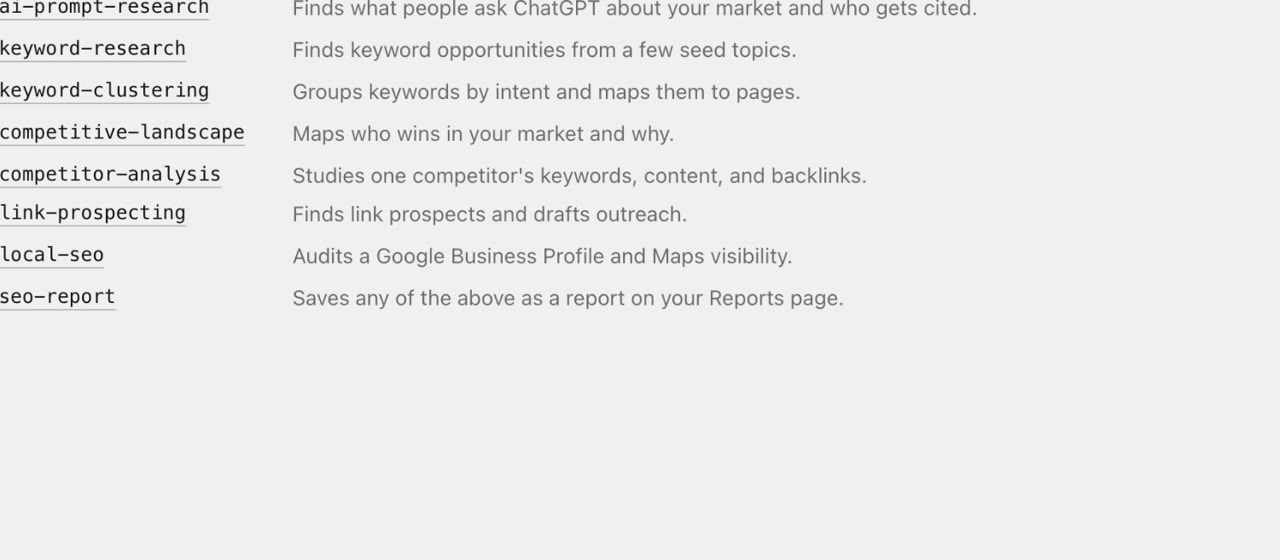
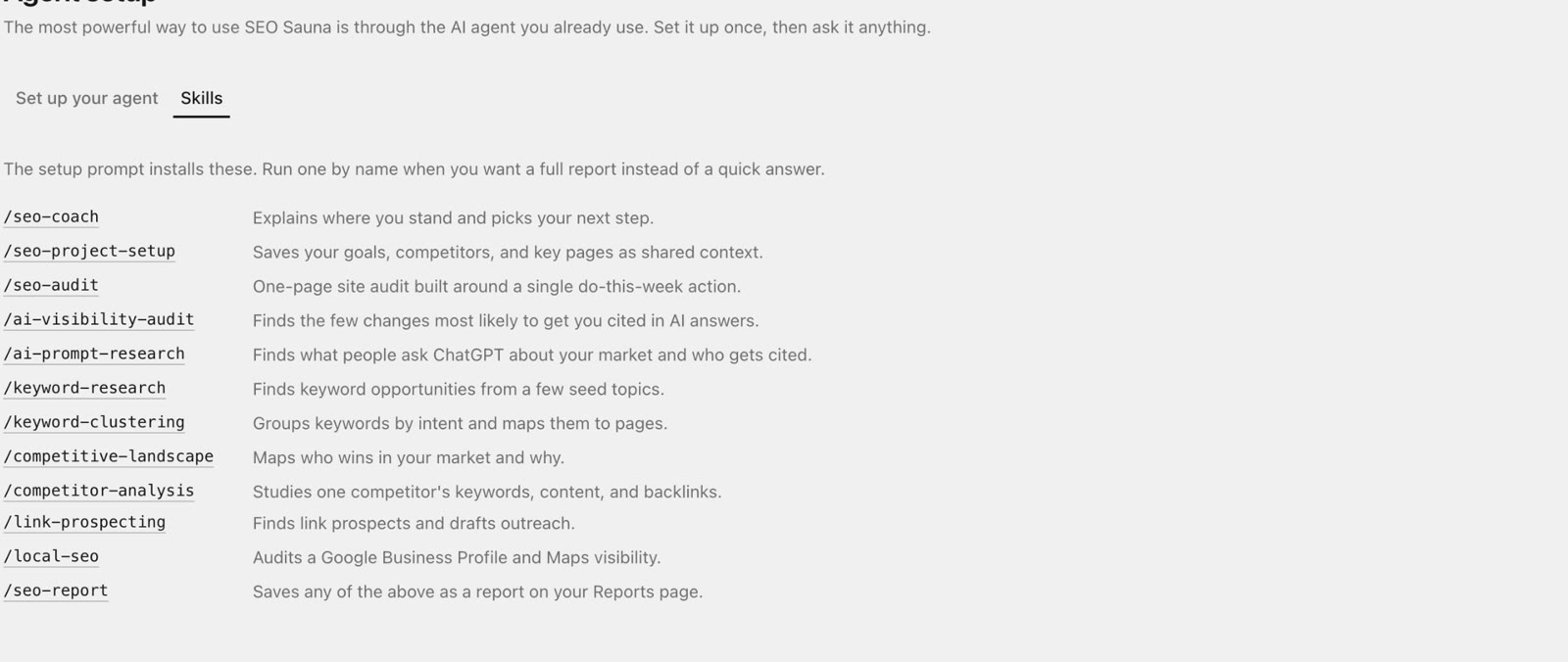
MCP gives the assistant data. Agent skills give it a repeatable method for jobs such as keyword clustering or competitor analysis. A ChatGPT custom connection gets the tools only, but you can still ask for the same jobs in plain language.
What it costs
SEO Sauna is €59 a month excluding VAT, with 17,000 usage credits (€17 worth) each month and top-ups at €1 per 1,000 credits. Projects are unlimited. See SEO Sauna 101 for what is included.
FAQ
What is an SEO MCP server?
It is a server that exposes SEO data as tools over the Model Context Protocol. AI clients such as Claude, ChatGPT, Cursor and Codex can call those tools during a conversation to look up keyword volumes, rankings, backlinks or your Search Console numbers instead of guessing.
Is a hosted or a self-hosted SEO MCP server better?
Hosted is easier: one URL, a sign-in and it works in web and desktop clients. Self-hosted gives you more control and direct provider billing, but you manage credentials, updates and usually a local process. SEO Sauna offers both, as a hosted app and as open-source code.
Do I need an API key to connect SEO Sauna?
No. Claude, ChatGPT, Cursor and Codex connect with an OAuth sign-in. API keys are optional, for headless setups, CI or clients without OAuth support.
Can the assistant change my Search Console account?
No. SEO Sauna requests read-only Search Console access, and reading that data uses no credits.
Which AI clients work with SEO Sauna's MCP server?
Claude Desktop, claude.ai, Claude Code, ChatGPT with a custom connection, Cursor, Codex CLI, Codex in the ChatGPT desktop app and other clients that support remote MCP servers over HTTP.
More from the blog
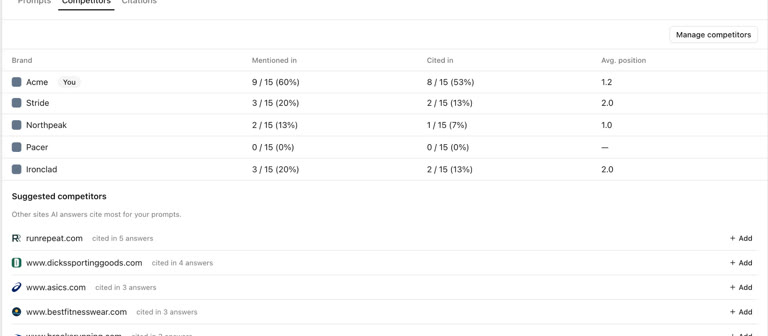 AI discoverability audit: how to run an AI visibility audit
An AI discoverability audit shows whether ChatGPT, Gemini and Google AI name and cite your brand, and why not. Steps, prompts and what to fix first.
AI discoverability audit: how to run an AI visibility audit
An AI discoverability audit shows whether ChatGPT, Gemini and Google AI name and cite your brand, and why not. Steps, prompts and what to fix first.
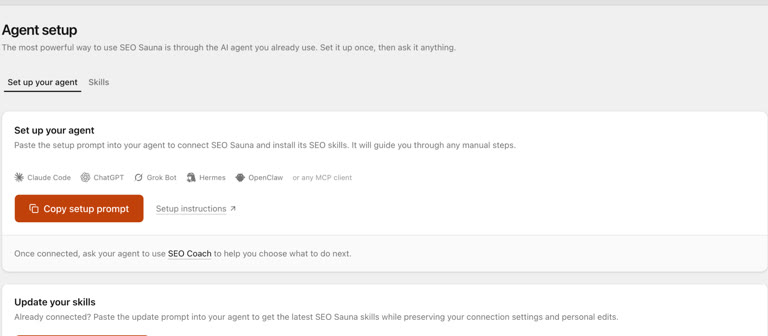 ChatGPT MCP server for SEO: connect live SEO data
Connect an SEO MCP server to ChatGPT as a custom connection on Free or paid plans: step-by-step setup, error fixes and SEO prompts with real keyword data.
ChatGPT MCP server for SEO: connect live SEO data
Connect an SEO MCP server to ChatGPT as a custom connection on Free or paid plans: step-by-step setup, error fixes and SEO prompts with real keyword data.