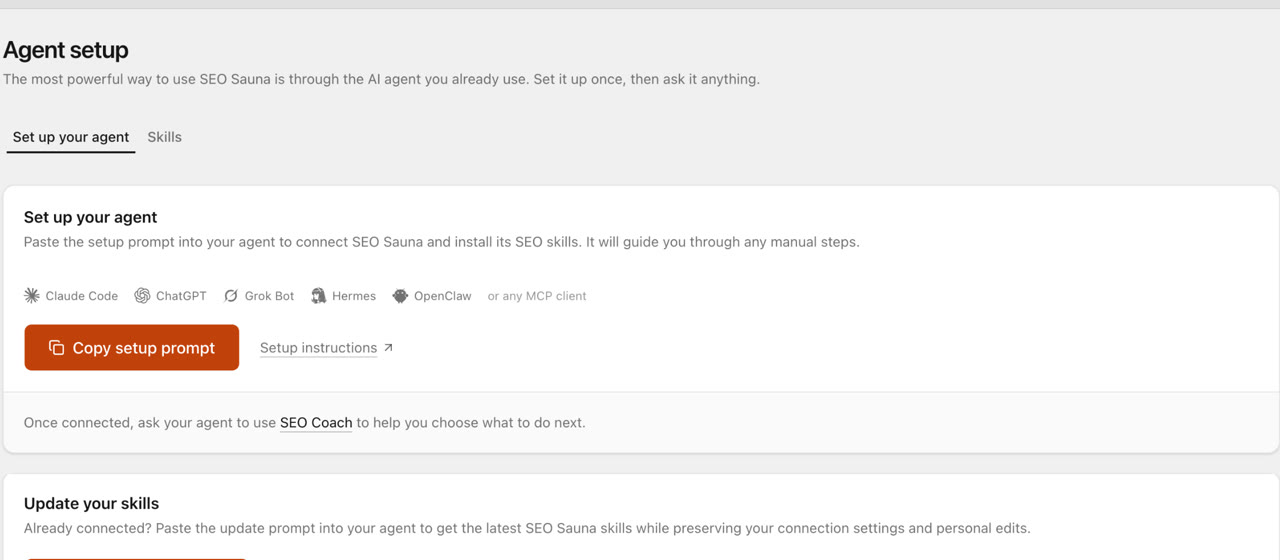
ChatGPT MCP server for SEO: connect live SEO data
Connect an SEO MCP server to ChatGPT as a custom connection on Free or paid plans: step-by-step setup, error fixes and SEO prompts with real keyword data.
A ChatGPT MCP server for SEO is a remote server you add to ChatGPT as a custom connection, so ChatGPT can call SEO tools during a chat: keyword volumes, live Google results, competitor rankings, backlinks, your Search Console data and AI visibility checks. Without it, ChatGPT answers SEO questions from memory and estimates the numbers.
SEO Sauna's server is at https://app.seosauna.com/mcp. The custom connection works on ChatGPT Free and paid plans, with OAuth sign-in and no API key. This guide covers the setup step by step, the errors people hit, what ChatGPT can and cannot do with the connection, and prompts to paste once it works.
For the general background on SEO MCP servers and other clients, see SEO MCP server. Using Claude instead? Read Claude MCP server for SEO.
How MCP works in ChatGPT
ChatGPT supports remote MCP servers through what OpenAI calls custom connections (shown as apps or plugins depending on your interface version). You give it a server URL, ChatGPT discovers the tools the server offers and calls them when your question needs data. You select the connection in a chat, ask in plain language, and ChatGPT picks the tools.
Two differences from Claude are worth knowing up front:
- Tools only, no skills. A ChatGPT custom connection gives ChatGPT the SEO Sauna tools, not the Agent Skills. You can still ask for keyword research, audits or competitor research in plain language. You just describe the steps yourself.
- Separate from Codex. Codex in the ChatGPT desktop app has its own MCP settings. Connecting one does not connect the other.
Connect SEO Sauna to ChatGPT, step by step
First create a free SEO Sauna account with 1,000 trial credits and no card. SEO Sauna billing is separate from your ChatGPT subscription.
-
Sign in to chatgpt.com.
-
If your version shows it, open Settings → Security and login and enable Developer mode. Some versions show the custom connection flow directly in Plugins.
-
Open Plugins, select +, then Create MCP App. In the older interface, go to Settings → Apps → Advanced settings → Developer mode, then Create or Add custom app.
-
Fill in:
Field Value Name SEO SaunaServer URL https://app.seosauna.com/mcpAuthentication OAuth -
Create the connection, sign in to SEO Sauna in the window that opens and approve access. If the new app needs installing, open it under Personal and select Install.
-
Start a new chat, open the + / tools menu and select SEO Sauna.
On Business, Enterprise and Edu workspaces, an admin may need to allow custom connections. OpenAI changes this interface often, so the ChatGPT setup guide keeps the current steps.
Check the connection
In the new chat, with SEO Sauna selected, send:
Use SEO Sauna to check my connection and list my projects. Do not run SEO research or create anything.
ChatGPT should call SEO Sauna and return your status and project list. An empty list still means it works, and these reads use no credits.
Fixes for common ChatGPT MCP errors
| What you see | What to do |
|---|---|
| "Error fetching OAuth configuration: Unsafe URL" | Type the URL in full, https://app.seosauna.com/mcp, with no spaces. |
| No Developer mode or Create MCP App option | Check Settings → Security and login and Plugins. On a workspace plan, ask your admin. |
| ChatGPT asks for a client ID or secret | Keep OAuth and wait for discovery. If offered, choose Dynamic Client Registration. |
| Sign-in works but tools are missing | Finish installing the app, start a new chat and select SEO Sauna in the tools menu. |
| ChatGPT gives general advice instead of data | SEO Sauna is not selected in this chat. Select it and resend. |
| You cannot find SEO Sauna in a directory | It is added as a custom connection, not from a directory listing. |
When SEO Sauna adds tools, open the connection under Plugins, select Refresh and start a new chat.
What ChatGPT can do with SEO data
Once connected, ChatGPT can:
- research keywords with volume, difficulty, CPC, intent and trends
- read the live Google results for any query
- show what any domain ranks for, including competitors, and compare competitors across a keyword set
- give backlink and referring-domain overviews
- read your Google Search Console clicks, impressions, CTR and positions, and inspect up to 10 URLs per call for index status
- read rank tracking results and saved keywords
- run AI visibility checks: ask ChatGPT, Gemini, Claude or Perplexity a prompt, set up Prompt Tracking with a cost preview and read saved answers and citations
- read and update project context, and save HTML reports to your project
Search Console access is read-only and uses no credits. Keyword, SERP, competitor, backlink and AI visibility lookups use credits.
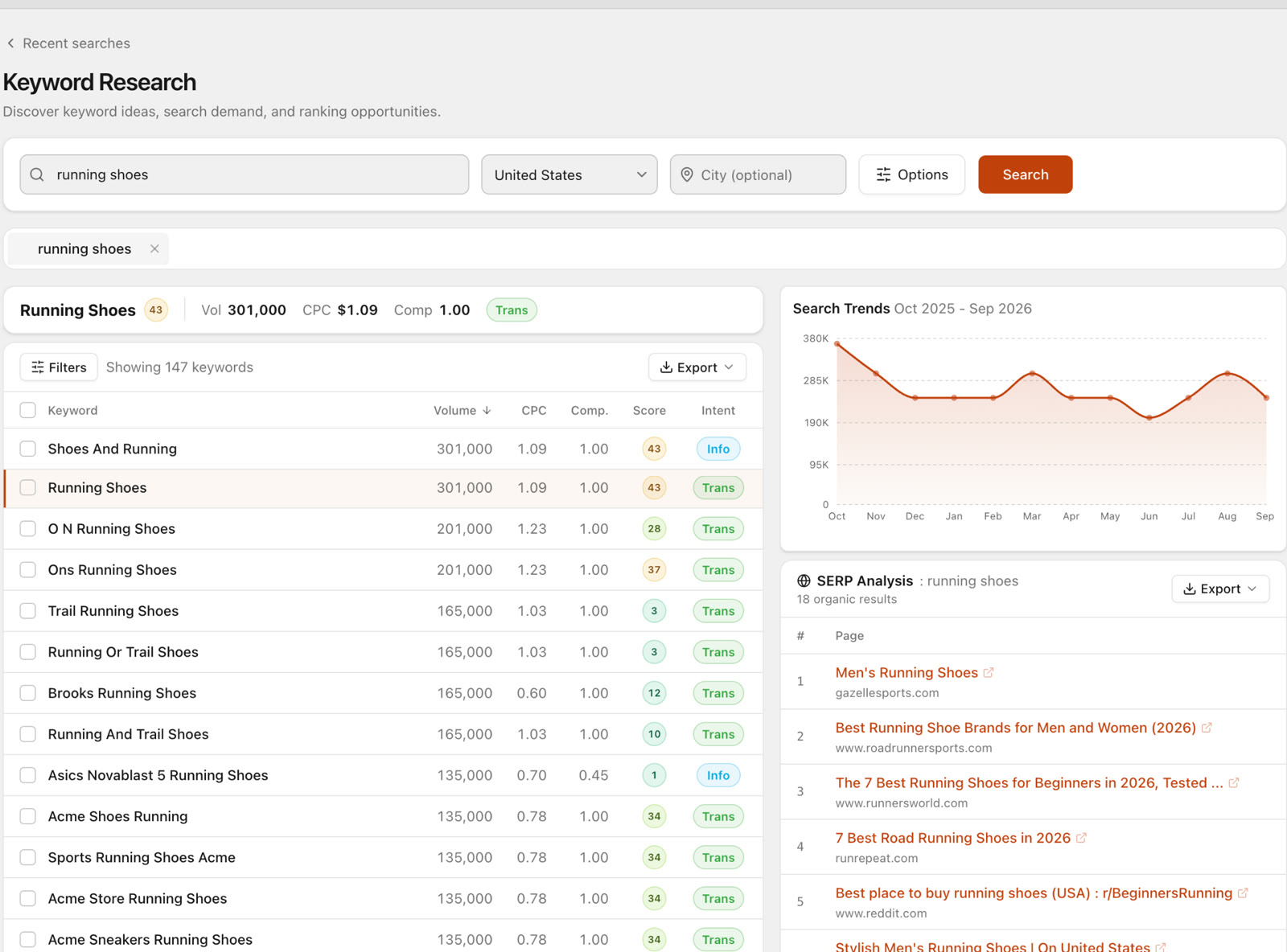 The same keyword data ChatGPT gets through the connection, as shown in the SEO Sauna app.
SEO prompts to paste into ChatGPT
Because ChatGPT does not get the skills, spell out the job and the output you want. These prompts do that.
Start with context
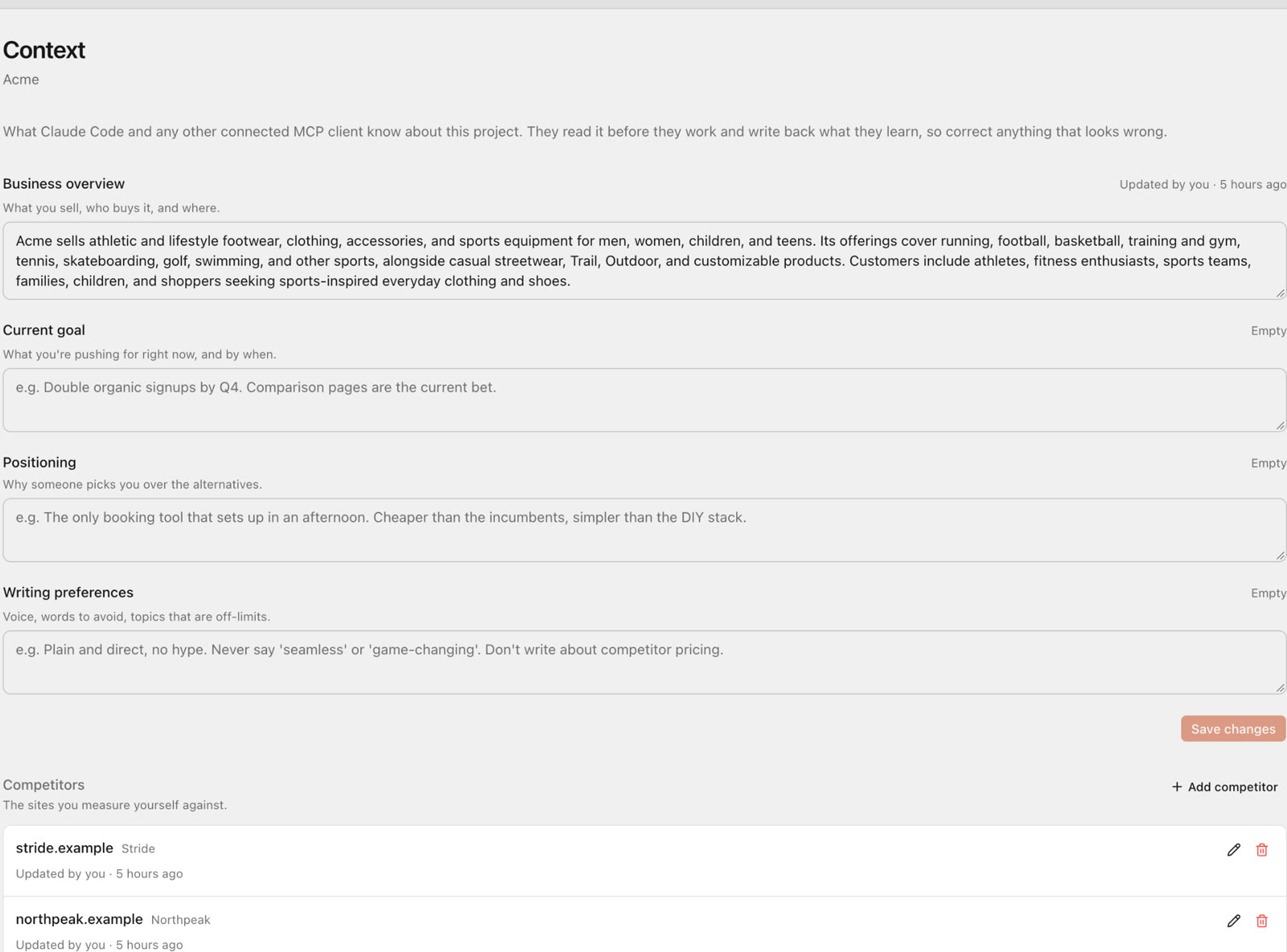
Use SEO Sauna. Set up a project for acme.example. Ask me five questions about the business, audience and competitors, then save the answers as project context.
Keyword research with a decision
Use SEO Sauna to find keywords about "meal prep delivery" in the US. Keep difficulty under 25, group them by intent, check the live Google results for the top five and recommend the three pages to write first. Explain each in one line.
Search Console striking distance
Use SEO Sauna to pull my Search Console queries from the last 90 days with average position 5 to 20 and at least 200 impressions. Group by page and suggest one title or content change per page.
Competitor gap
Use SEO Sauna to list keywords competitor.example ranks for in the top 10 where we do not rank. Exclude branded terms, sort by volume, show 20.
Indexing check
Use SEO Sauna to inspect these URLs and tell me which are not indexed or have a different Google-selected canonical: [paste up to 10 URLs].
Are we in ChatGPT's answers?
Use SEO Sauna to ask ChatGPT and Gemini "what is the best invoicing app for freelancers?". Which brands do they name, and which pages do they cite? Do not start tracking.
Save the work
Summarise this as an HTML report and save it to my SEO Sauna project.
For a full method behind the AI visibility prompt, see AI discoverability audit.
ChatGPT vs Claude vs Codex for SEO work
| ChatGPT (custom connection) | Claude Desktop / claude.ai | Claude Code / Codex | |
|---|---|---|---|
| Setup | Developer mode, Create MCP App | Custom connector | One terminal command |
| Plans | Free and paid | Free (one connector) and paid | Their own plans |
| SEO Sauna tools | Yes | Yes | Yes |
| Agent skills | No | Yes | Yes |
| Edit site files | No | No | Yes, in your repository |
If you mostly ask one-off questions, ChatGPT is fine. If you want repeatable workflows with saved reports, an agent with skills is more consistent. Both use the same SEO Sauna projects and data, so you can switch at any time.
What it costs
SEO Sauna is €59 a month excluding VAT with 17,000 credits included, top-ups at €1 per 1,000 credits and unlimited projects. Reading Search Console, project context and reports uses no credits. See SEO Sauna 101.
Create a free account and connect ChatGPT.
FAQ
Can ChatGPT use an MCP server on the free plan?
Yes. The custom connection for SEO Sauna works on ChatGPT Free and paid plans. Workspace plans can restrict it through admin settings.
Do I need an API key to connect ChatGPT?
No. Choose OAuth when creating the connection and sign in to SEO Sauna. You do not need your own client ID or secret.
Why does ChatGPT not use SEO Sauna when I ask an SEO question?
The connection has to be selected in that chat. Open the + / tools menu, select SEO Sauna and start your message with "Use SEO Sauna".
Does connecting ChatGPT also connect Codex?
No. Codex has its own MCP settings. See Codex setup.
Is my Search Console data safe?
SEO Sauna requests read-only Search Console access, so neither SEO Sauna nor ChatGPT can change your properties, users or settings.
More from the blog
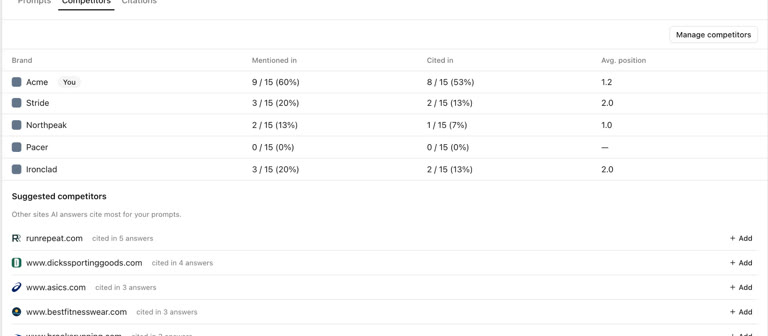 AI discoverability audit: how to run an AI visibility audit
An AI discoverability audit shows whether ChatGPT, Gemini and Google AI name and cite your brand, and why not. Steps, prompts and what to fix first.
AI discoverability audit: how to run an AI visibility audit
An AI discoverability audit shows whether ChatGPT, Gemini and Google AI name and cite your brand, and why not. Steps, prompts and what to fix first.
 Claude MCP server for SEO: setup, skills and prompts
Add an SEO MCP server to Claude Desktop, claude.ai or Claude Code in five minutes, install SEO skills and paste prompts that use live keyword data.
Claude MCP server for SEO: setup, skills and prompts
Add an SEO MCP server to Claude Desktop, claude.ai or Claude Code in five minutes, install SEO skills and paste prompts that use live keyword data.