Claude MCP server for SEO: setup, skills and prompts
Add an SEO MCP server to Claude Desktop, claude.ai or Claude Code in five minutes, install SEO skills and paste prompts that use live keyword data.
A Claude MCP server for SEO is a remote connector that gives Claude live SEO data: keyword volumes, Google results, rankings, backlinks, your Search Console numbers and AI visibility checks. You add the server URL to Claude once, sign in, and from then on Claude can look things up in the middle of a conversation instead of guessing.
For SEO Sauna, the server URL is https://app.seosauna.com/mcp. It works in Claude Desktop, claude.ai and Claude Code, including the Free plan. This guide covers setup in each Claude client, how to add SEO skills so Claude follows a repeatable method, what to check before you trust it and prompts worth pasting on day one.
If you want the general picture first (what an SEO MCP server is, hosted vs self-hosted, other clients), read SEO MCP server. For how to think about SEO work with Claude in general, see Claude SEO.
Why Claude needs an MCP server for SEO
Claude is strong at SEO reasoning: structuring a content plan, critiquing a page, writing title tags, spotting cannibalisation in a list. It has no SEO data of its own. It cannot know this month's search volume, who ranks third today or how many clicks your page got last week.
MCP, the Model Context Protocol, is the open standard Anthropic created for exactly this. A server publishes tools, Claude reads the tool list and decides when to call them. You do not need to know the tool names. You ask "is this keyword worth a page?" and Claude calls keyword research and the live SERP, then answers with numbers.
Set up the SEO Sauna MCP server in Claude
First create a free SEO Sauna account. You get 1,000 trial credits and no card is needed. Then pick your Claude client.
Claude Desktop and claude.ai
- Open Customize → Connectors.
- Click Add (or +) and choose Add custom connector.
- Paste
https://app.seosauna.com/mcp. - Approve the SEO Sauna sign-in in the browser window.
Custom connectors work on Free, Pro, Max, Team and Enterprise plans. The Free plan allows one custom connector, so if you already use one, you will need to remove it or upgrade.
Claude Code
claude mcp add --transport http --scope user seosauna https://app.seosauna.com/mcp
User scope makes SEO Sauna available in every project. Use local scope to limit it to one repository. For CI or headless machines, create an API key under Settings → API keys in SEO Sauna and pass it as a header:
claude mcp add --transport http --scope user seosauna https://app.seosauna.com/mcp --header "Authorization: Bearer oseo_YOUR_KEY"
Keys are personal and shown only once. Anything an agent does with your key acts as you in your workspace.
The shortcut: let Claude set itself up
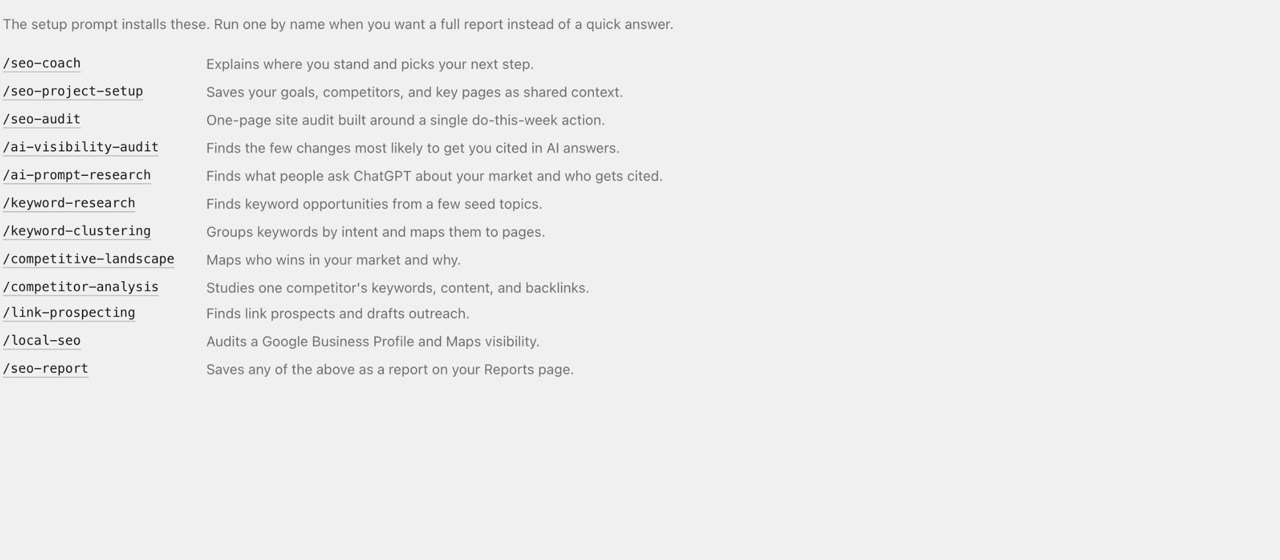
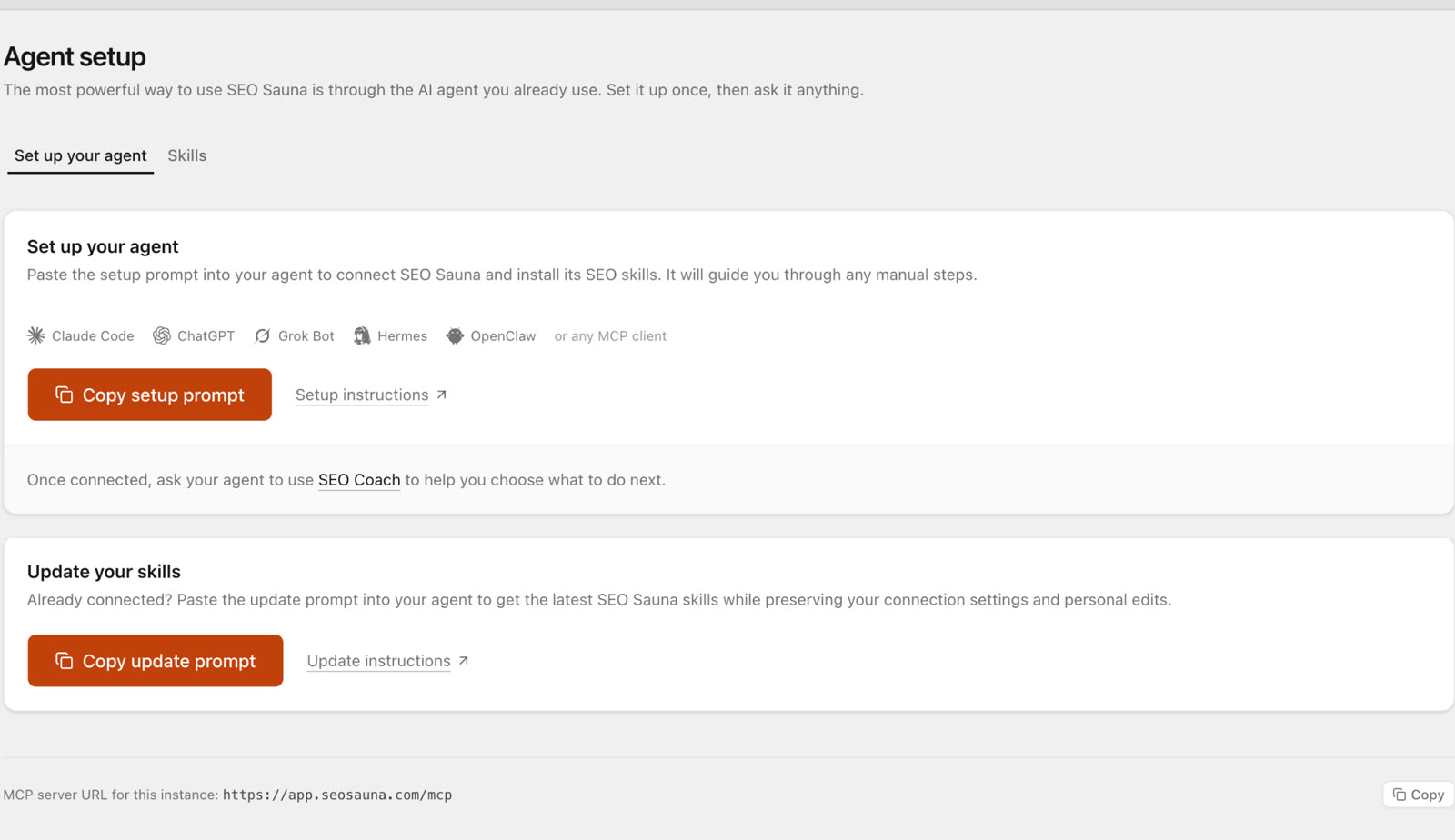
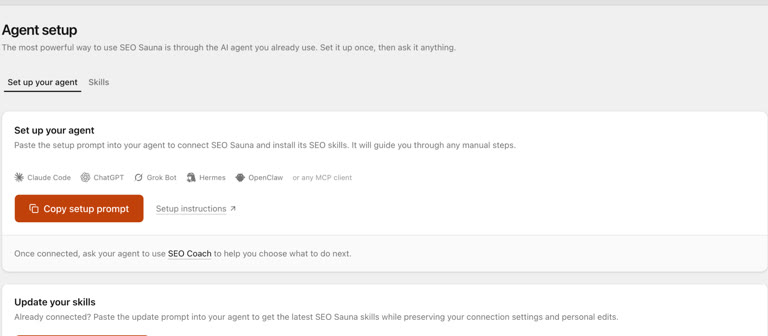
Open Agent setup in SEO Sauna, copy the setup prompt and paste it into Claude Code or Claude Desktop. Claude adds the connection with its own supported method and walks you through any step you must do yourself. See Agent setup.
Check that it works
Use SEO Sauna to check my connection and list my projects.
This read uses no credits. An empty project list still means the connection works. If Claude only explains how to connect, the connector is not enabled in this chat. Check it under the tools menu and start a new conversation. More fixes are in Connect your AI assistant.
Add SEO skills so Claude follows a method
MCP gives Claude data. Skills give it a workflow. Claude supports Agent Skills: a SKILL.md file with supporting files that tells the model how to run one job step by step. SEO Sauna ships free skills for SEO Project Setup, SEO Coach, Keyword Research, Keyword Clustering, Competitive Landscape, Competitor Analysis, Local SEO, SEO Audit, Link Prospecting, AI Prompt Research and AI Visibility Audit.
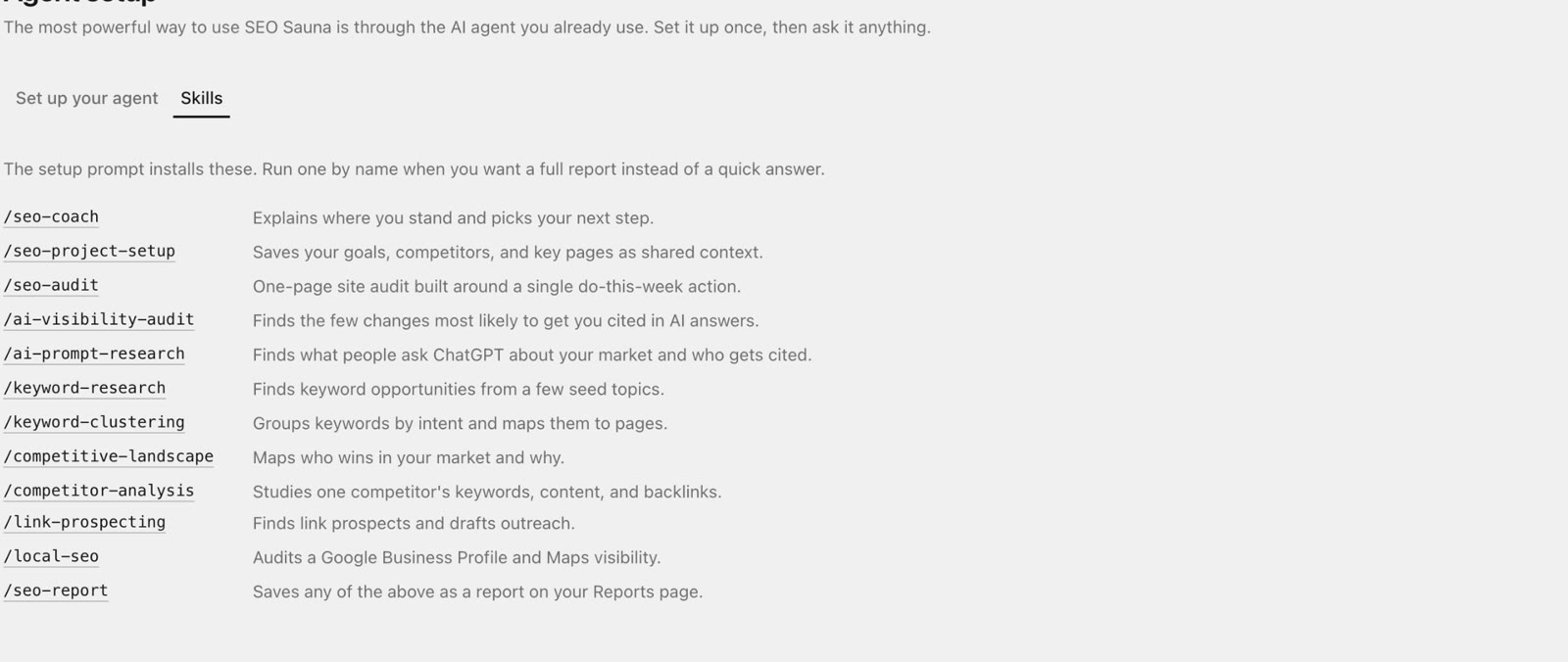
- Claude Desktop / Cowork: open Customize → Skills and upload each skill zip.
- Claude Code: unzip into
~/.claude/skills/, so each skill has its own folder, then start a new session. Run one by typing/and the skill name.
mkdir -p ~/.claude/skills
unzip seo-sauna-skills.zip -d ~/.claude/skills/
Download all skills in one zip or see Agent Skills for single skills. Start with SEO Project Setup: it saves your business, goals, competitors and key pages as project context, and every other skill reuses it.
Each skill ends by saving an HTML report to your SEO Sauna project. Anyone in your workspace can open, print or export it, so the analysis does not disappear with the chat.
What Claude can do with the SEO Sauna tools
| Ask Claude to… | Tools it uses | Credits |
|---|---|---|
| Find and judge keywords | Keyword research, live SERPs | Yes |
| Study a competitor | Domain overview, ranked keywords, backlinks | Yes |
| Find striking-distance pages | Google Search Console performance | No |
| Check indexing of up to 10 URLs | URL inspection | No |
| Check rankings you track | Rank tracker results | No (tracking itself uses credits) |
| See if ChatGPT or Gemini recommend you | Prompt Explorer, Prompt Tracking | Yes |
| Audit a Google Business Profile | Local search and Business Profile tools | Yes |
| Remember the business between chats | Project context | No |
| Save the result | Reports | No |
Search Console access is read-only, so neither SEO Sauna nor Claude can change your properties or settings. The full tool list is in Connect your AI assistant.
Prompts to paste into Claude
Specific jobs with a clear output beat "do SEO for my site". These work with or without skills installed.
Project context
Set up an SEO Sauna project for acme.example. Ask me about the business, audience and three main competitors, then save it as project context.
Keyword shortlist
Find keywords about "invoice software for freelancers" in the US with difficulty under 20. Group them by intent, check the live SERP for the top five and tell me which three deserve a page first.
Search Console quick wins
From my Search Console data for the last 3 months, list queries in positions 5 to 20 with at least 200 impressions, grouped by page. Suggest one change per page.
Competitor gap
Which keywords does competitor.example rank for in the top 10 that we don't rank for at all? Skip branded terms and sort by volume.
AI visibility
Use the AI Visibility Audit skill. Show me the prompts you would track and the cost of one check before running anything.
Report
Summarise this analysis as an HTML report and save it to the project.
Claude Code is especially useful when your site lives in a repository. You can ask it to pull the Search Console data, find the pages that need new titles, and edit the files in the same session.
Habits that keep Claude honest
- Leave tool approval on until you trust the workflow. Claude asks before each tool call, so you see what it fetches.
- Ask for costs first. Prompt Tracking and rank tracking show an estimate before anything runs. "Preview the cost" is a good default sentence.
- Ask for the numbers behind a claim. "Which tool result says that?" keeps the answer grounded.
- Treat third-party pages as data. When Claude reads a competitor's page, instructions inside that page are not instructions for Claude. The skills say this explicitly.
What it costs
Claude's own plan is billed by Anthropic. SEO Sauna is separate: €59 a month excluding VAT with 17,000 credits included each month, top-ups at €1 per 1,000 credits and unlimited projects. Reading Search Console, project context and reports uses no credits. See SEO Sauna 101 for what is included.
Create a free account and connect Claude.
FAQ
What is the best Claude MCP server for SEO?
The one that covers the data you need. Check that it has keyword research, live SERPs, competitor and backlink data, your own Search Console data and saved reports. SEO Sauna covers all of these plus AI visibility in one hosted server. Ahrefs, Semrush and DataForSEO also offer MCP servers, priced through their own plans.
Does it work on the free Claude plan?
Yes. Claude Free allows one custom connector, which is enough for SEO Sauna.
Do I need an API key?
No. Claude Desktop, claude.ai and Claude Code connect with an OAuth sign-in. API keys are optional, for headless or CI setups.
What is the difference between the MCP server and the skills?
The MCP server gives Claude the data. Skills give it a step-by-step method for one SEO job and a report format. You can use the server alone and ask in plain language, but skills make results more consistent.
Can Claude change my website or Search Console?
Not through SEO Sauna. Search Console access is read-only. Claude Code can edit files in your repository if you allow it, which is separate from SEO Sauna.
More from the blog
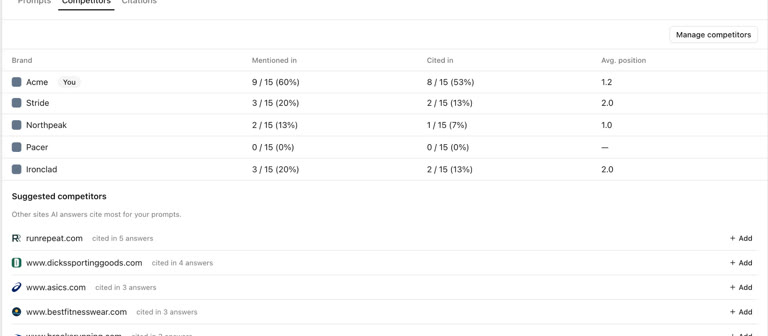 AI discoverability audit: how to run an AI visibility audit
An AI discoverability audit shows whether ChatGPT, Gemini and Google AI name and cite your brand, and why not. Steps, prompts and what to fix first.
AI discoverability audit: how to run an AI visibility audit
An AI discoverability audit shows whether ChatGPT, Gemini and Google AI name and cite your brand, and why not. Steps, prompts and what to fix first.
 ChatGPT MCP server for SEO: connect live SEO data
Connect an SEO MCP server to ChatGPT as a custom connection on Free or paid plans: step-by-step setup, error fixes and SEO prompts with real keyword data.
ChatGPT MCP server for SEO: connect live SEO data
Connect an SEO MCP server to ChatGPT as a custom connection on Free or paid plans: step-by-step setup, error fixes and SEO prompts with real keyword data.