Claude SEO: how to do real SEO work inside Claude
Claude SEO done right: Claude can plan and write SEO but has no search data. How to give it keyword volumes, rankings, backlinks and Search Console data.
Ask Claude for keyword ideas and you will get a tidy, confident list. Ask it how many people search for each one, and it will either guess or tell you it cannot know. Both answers are honest about the same gap: Claude is very good at SEO thinking and has no SEO data.
That gap is the whole story of "Claude SEO". The model can structure a content plan, critique a page, write a title tag that earns the click and spot the logic flaw in a site architecture. What it cannot do on its own is tell you that a keyword gets 900 searches a month in the US, that the top three results are forum threads, that your competitor gained 40 referring domains last quarter or that your page slipped from position 6 to 11 last Tuesday.
This guide shows how to close that gap, what a working setup looks like and which requests get the most out of it.
What Claude does well for SEO without any tools
It is worth being clear about this first, because a lot of SEO work needs no data at all.
- Positioning and topic choice. Explaining who a product is for, which problems it solves and which narrow topics a site can credibly own. This is the part of SEO most tools skip, and the part that decides whether anything else works.
- Page critique. Paste a page and ask what a searcher would miss, where the intent drifts or which questions go unanswered. Claude is a sharp editor.
- Writing. Titles, meta descriptions, briefs, outlines, FAQ sections, internal link suggestions with anchor text that reads naturally.
- Technical reasoning. Canonical logic, hreflang setups, redirect chains, robots rules. Give it the facts and it reasons well about them.
Everything on that list depends on judgment. None of it depends on knowing today's search volume.
Where Claude needs real data
The moment a decision depends on numbers, a model without data starts estimating. Estimates are where SEO projects go wrong:
| Question | Without data | With data |
|---|---|---|
| Is this keyword worth a page? | "It seems popular" | 900 searches a month, difficulty 12 |
| Can we rank for it? | "Competition may be high" | Top results are thin pages from sites with few links |
| What do competitors rank for? | A list of plausible guesses | The keywords their pages actually rank for, with positions |
| Did last month's update help? | No idea | Clicks and positions from your own Search Console |
| Are AI assistants recommending us? | No idea | Saved ChatGPT and Gemini answers that mention you or your competitors |
The fix is not a better prompt. It is giving Claude access to the data, so it can look things up while it works instead of guessing.
How Claude gets SEO data: MCP
Claude supports the Model Context Protocol (MCP), an open standard that lets an AI assistant call tools on another service. Connect an MCP server and Claude can use its tools in the middle of a conversation: it decides it needs search volumes, calls the tool, reads the result and keeps reasoning.
SEO Sauna is an MCP server for SEO data. Once connected, Claude can call tools for:
- Keyword research: search volume, keyword difficulty, CPC, intent and trends.
- Live Google results: the current organic results for any keyword.
- Domain research: the keywords and pages any domain ranks for, including competitors.
- Backlinks: backlink and referring domain overviews for any domain.
- Rank tracking: your tracked keywords and their latest positions.
- Google Search Console: your own clicks, impressions, CTR and positions, plus URL inspection.
- AI visibility: how ChatGPT and other models answer questions in your market and which brands they mention.
- Project context: your business, goals, competitors and key pages, saved once and reused in every conversation.
Claude does the talking and reasoning. SEO Sauna supplies the numbers. They are not alternatives to each other; you use them together.
Setting it up
The SEO Sauna MCP server lives at https://app.seosauna.com/mcp.
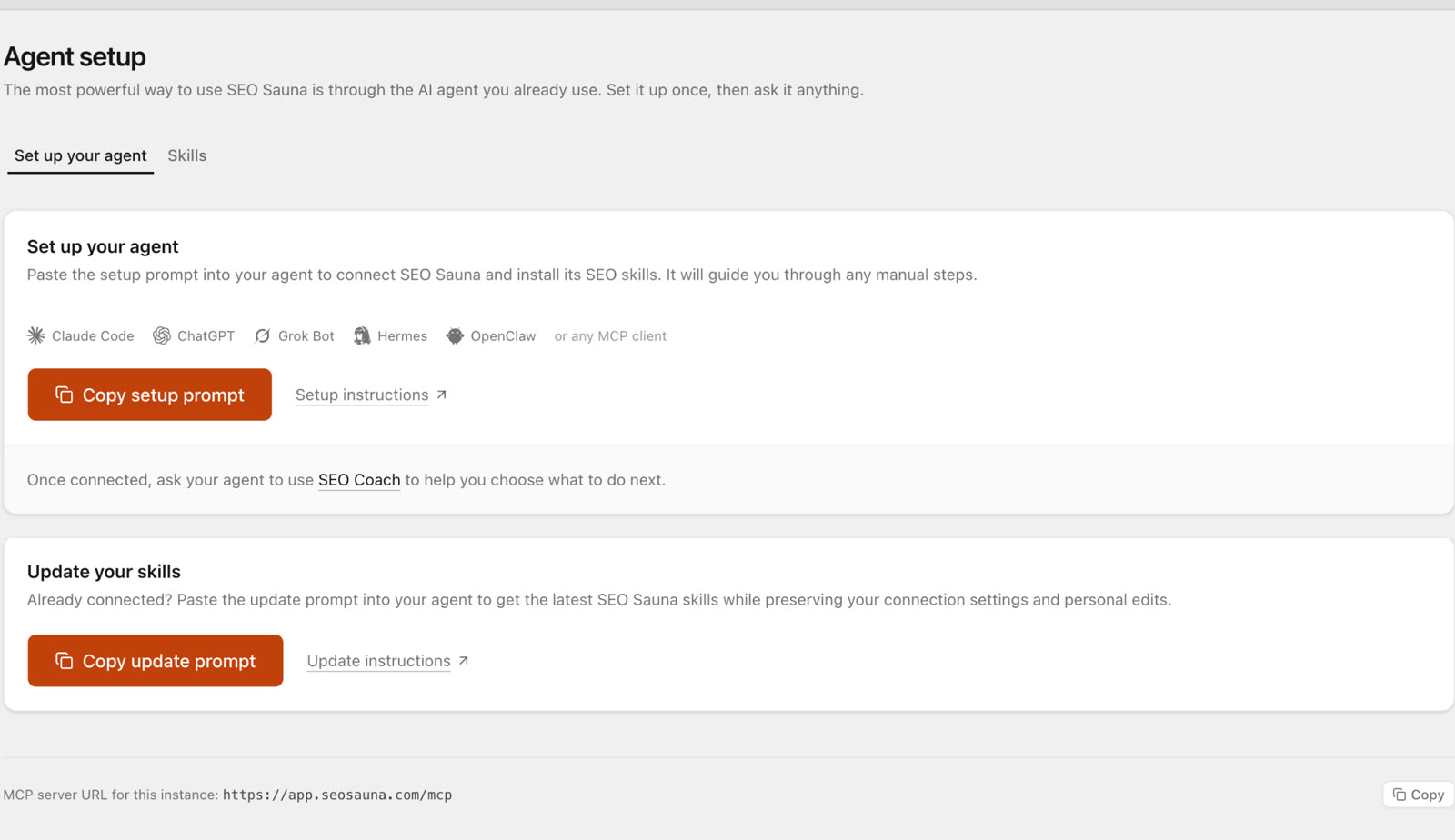
Claude Desktop or claude.ai: open Customize → Connectors, choose Add custom connector, paste the URL and approve the sign-in. Custom connectors work on the Free plan too (one connector) and on Pro, Max, Team and Enterprise.
Claude Code:
claude mcp add --transport http --scope user seosauna https://app.seosauna.com/mcp
The first time Claude uses a tool, you sign in to SEO Sauna and approve access. To check that it works, ask:
Use SEO Sauna to check my connection and list my projects.
That read uses no credits. The full guide, including Cursor, Codex and ChatGPT, is in Connect your AI assistant. For step-by-step Claude setup, skills and troubleshooting, see Claude MCP server for SEO, and for how SEO MCP servers compare in general, read SEO MCP server.
Five requests worth trying first
Generic requests like "do SEO for my site" produce generic work. Specific jobs with a clear output work much better. These are good first runs.
1. Save your project context
Set up an SEO Sauna project for example.com. Ask me about the business, who it is for and the main competitors, then save it as project context.
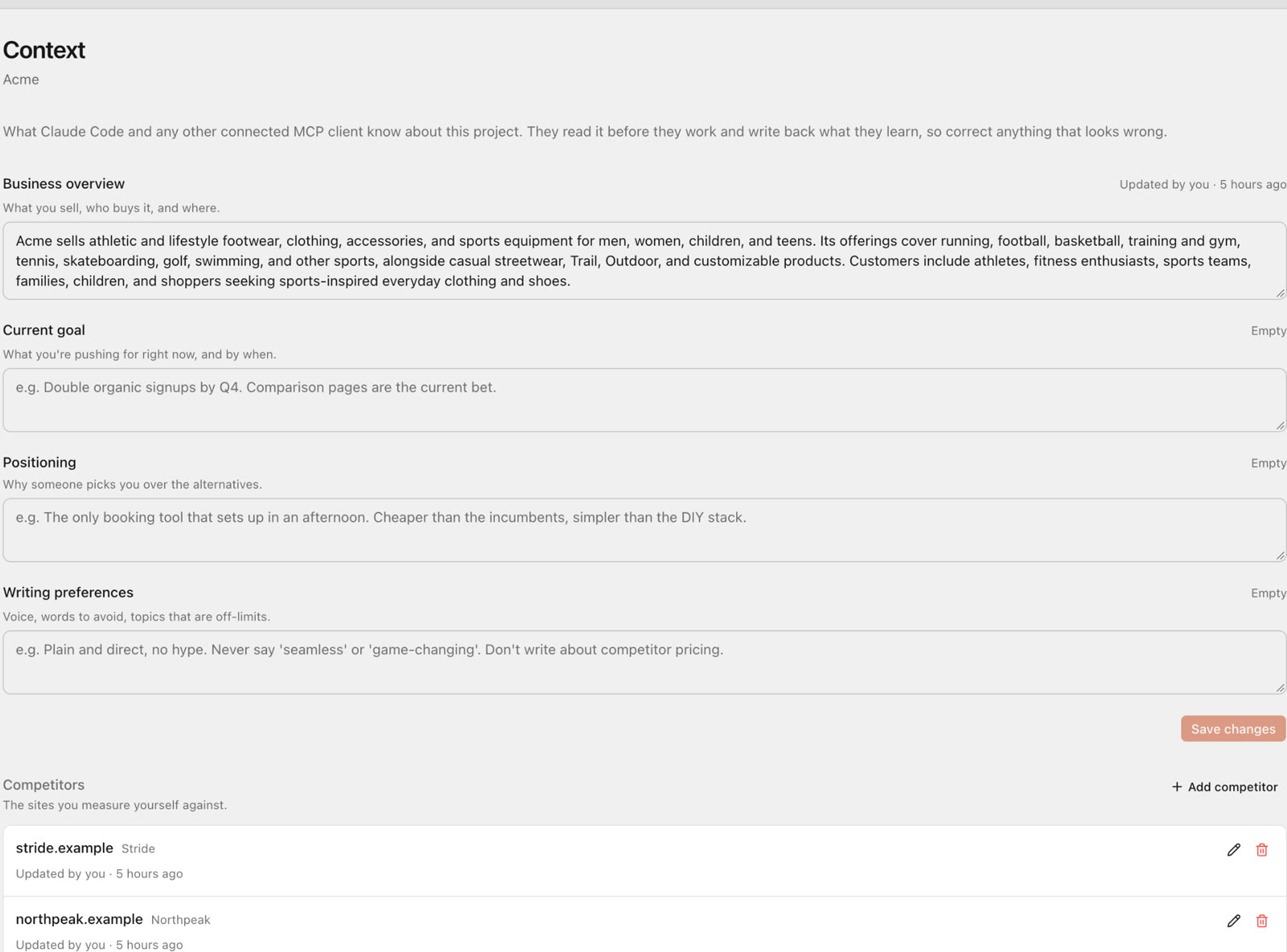
Every later request reuses this, so Claude stops asking the same questions and its suggestions fit your business instead of a generic one.
2. Find winnable keywords
Find keyword opportunities for [topic] in the US. Keep difficulty under 20, group them by search intent and tell me which three deserve a page first, and why.
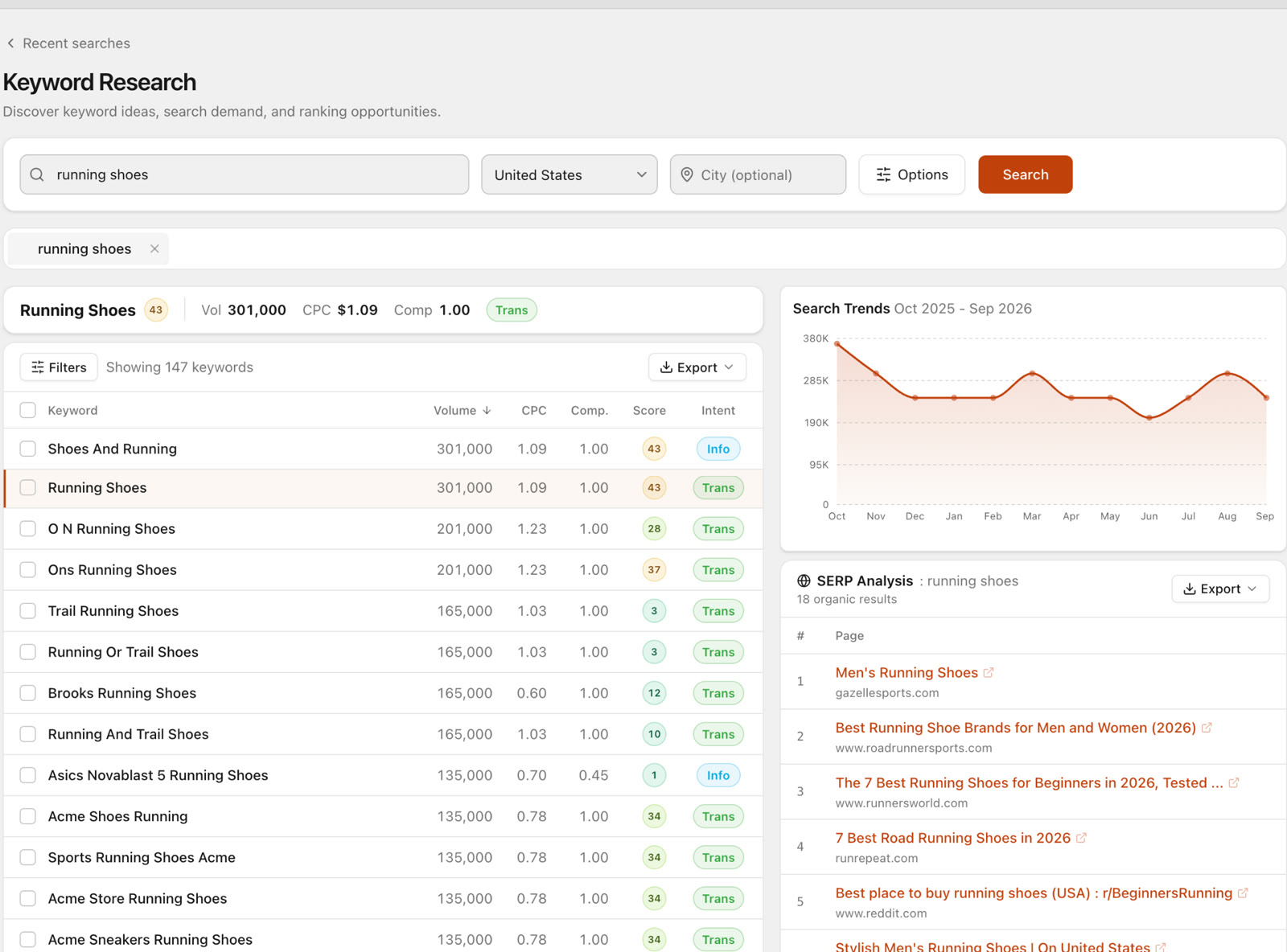
Claude pulls real volumes and difficulty scores, then does the part a spreadsheet cannot: judging which keywords match what you actually sell.
3. Study one competitor
Look at competitor.com. Which of their pages bring the most organic traffic, which keywords do they rank for that we don't, and where are they weak?
Domain research works on any site, so this is a quick way to see where a competitor's traffic really comes from.
4. Find striking-distance pages
Using my Search Console data from the last 3 months, find queries where we rank between positions 5 and 20 with decent impressions. Suggest what to change on each page.
This is often the fastest SEO win there is. The pages already rank; they need a better match for the query. Search Console reads use no credits.
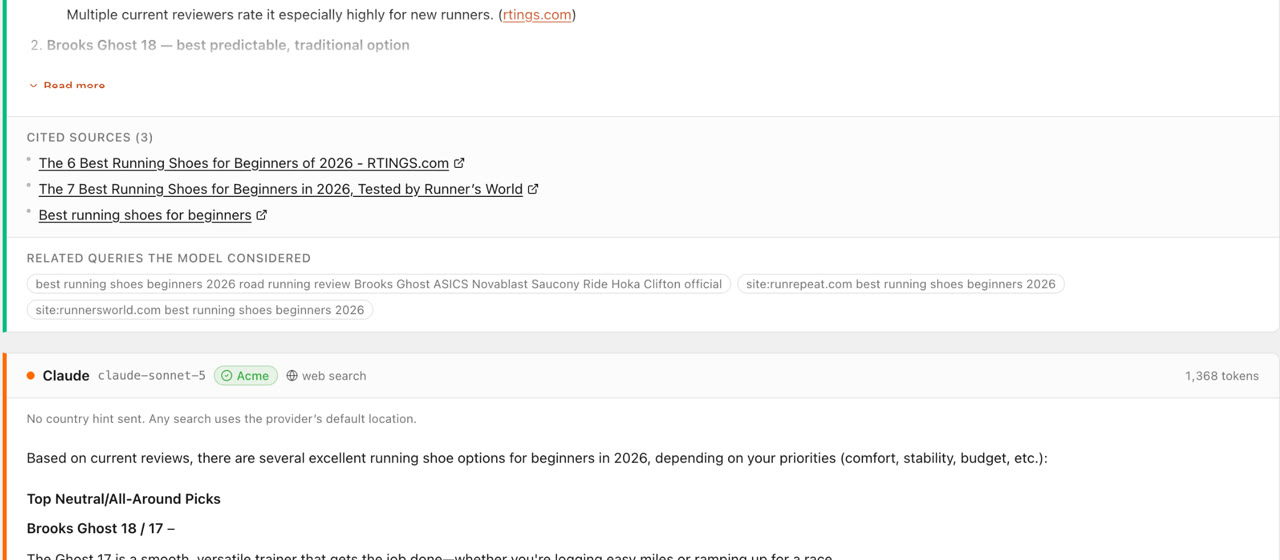
5. Check AI visibility
What does ChatGPT answer when someone asks for the best [product category] for [audience]? Which brands does it mention and which sources does it cite?
Search is no longer only ten blue links. Knowing whether AI assistants recommend you, and which pages they cite when they do, is now part of the job.
Reports that stay with the project
When Claude finishes a piece of work, it can save the result as an HTML report in your SEO Sauna project. Anyone in your workspace can open it from the Reports page, print it or export it, and it does not disappear when the chat scrolls away. For agencies this is the difference between a useful chat and a deliverable.
Agent skills: repeatable workflows
MCP gives Claude data. Agent skills tell it how to use that data for a specific job, step by step. SEO Sauna has skills for project setup, keyword research, keyword clustering, competitor analysis, competitive landscape mapping, link prospecting, local SEO, SEO audits, AI prompt research and AI visibility audits.
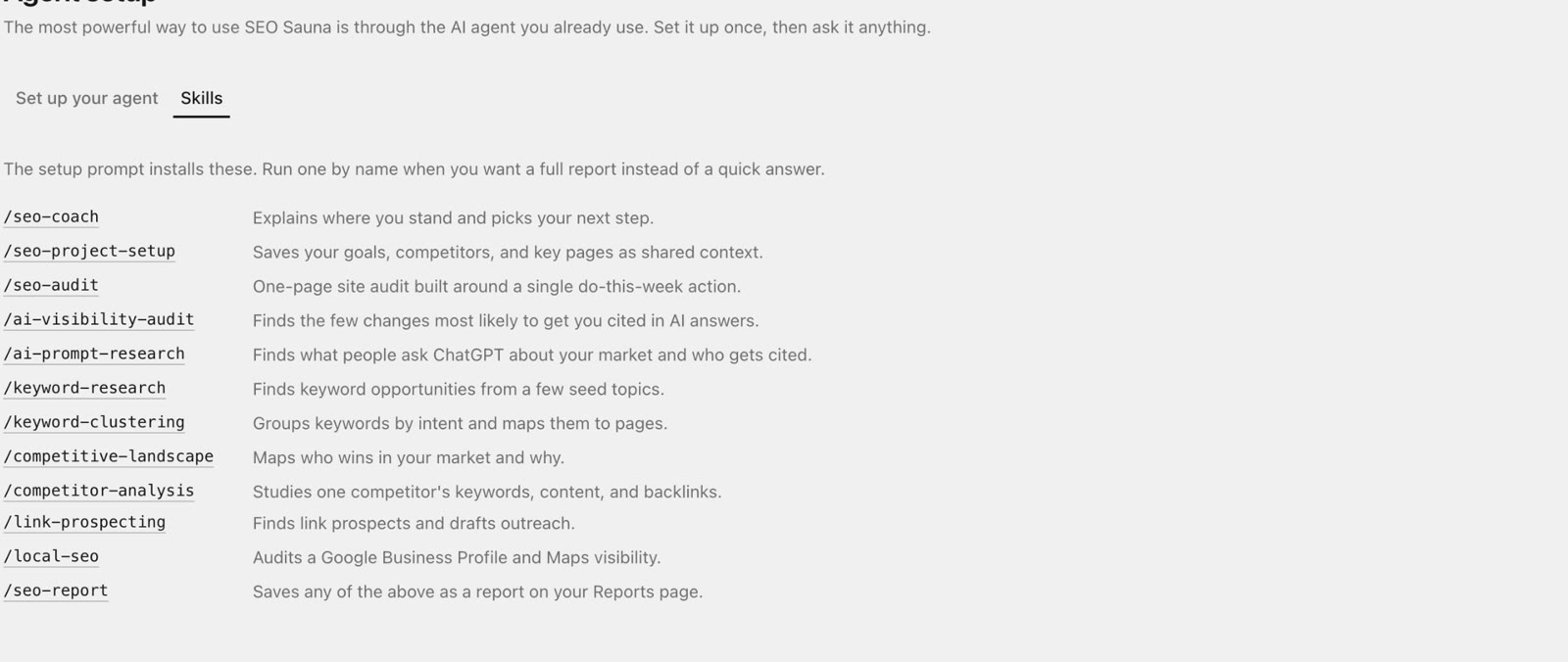
With a skill installed, "run a keyword clustering pass on my saved keywords" follows the same method every time instead of whatever approach the model picks that day. See Agent skills for the list and the downloads.
What it costs
Keyword, competitor, backlink, ranking and AI visibility data comes from paid data providers, mainly DataForSEO, so those lookups use credits. Search Console reads, project context and saved reports use none.
The SEO Sauna plan is €59 a month excluding VAT and includes 17,000 usage credits (€17 worth) each month. You can try it for free first: new accounts get 1,000 trial credits (€1) and no card is needed. Credits are a usage cap, not a fee, so a quiet month simply leaves them unused.
A few habits that make Claude better at SEO
- Ask for decisions, not lists. "Which three pages should we write first?" beats "give me 50 keywords".
- Name the market. Search volume differs a lot between countries. Say "in the US" or "in Germany".
- Let it check its own assumptions. "Look at the current top results before you recommend a format" stops it suggesting a blog post where Google shows product pages.
- Keep the context saved. Project context means every new conversation starts from what you already know.
- Review the output. SEO still needs judgment. The data makes Claude far more useful, not infallible.
FAQ
Can Claude do SEO on its own?
Claude can reason, plan and write very well for SEO, but on its own it has no live search volumes, rankings, backlink data or Search Console numbers. Connecting an SEO data source through MCP gives it those, so its recommendations rest on real numbers instead of estimates.
Does this work with the free Claude plan?
Yes. Claude's Free plan allows one custom connector, which is enough for SEO Sauna. Pro, Max, Team and Enterprise plans allow more.
Does it work with ChatGPT and Cursor too?
Yes. The same MCP server works with Cursor, Codex, ChatGPT with a custom connection and other MCP clients. See the setup guide for each.
Is my Search Console data safe?
SEO Sauna requests read-only access to Search Console and cannot change anything in your account. Reading your own Search Console data uses no credits.
Do I need to know how MCP works?
No. You paste one URL into Claude's connector settings and approve a sign-in. After that you just talk to Claude as usual.
More from the blog
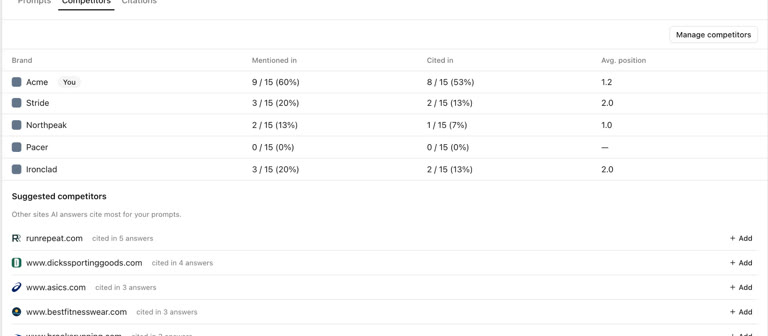 AI discoverability audit: how to run an AI visibility audit
An AI discoverability audit shows whether ChatGPT, Gemini and Google AI name and cite your brand, and why not. Steps, prompts and what to fix first.
AI discoverability audit: how to run an AI visibility audit
An AI discoverability audit shows whether ChatGPT, Gemini and Google AI name and cite your brand, and why not. Steps, prompts and what to fix first.
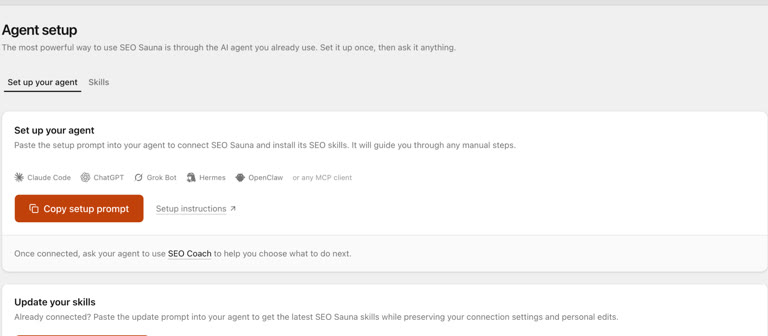 ChatGPT MCP server for SEO: connect live SEO data
Connect an SEO MCP server to ChatGPT as a custom connection on Free or paid plans: step-by-step setup, error fixes and SEO prompts with real keyword data.
ChatGPT MCP server for SEO: connect live SEO data
Connect an SEO MCP server to ChatGPT as a custom connection on Free or paid plans: step-by-step setup, error fixes and SEO prompts with real keyword data.