SEO report for clients: what to include, plus a template
What a useful SEO report for clients contains: goals, Search Console clicks, rankings, AI visibility, work done and next steps. Plus a template to copy.
Most client SEO reports are too long and say too little. Twenty pages of exported charts, a domain authority score, a table of 300 keywords, and somewhere near the end a line about what actually happened last month. The client skims the first page, sees a number go down and books a call to ask why.
A good SEO report for clients does the opposite. It answers three questions in the first minute: are we moving toward the goal, what did you do, and what happens next. Everything else is supporting evidence, and most of it can stay out.
This guide covers what belongs in a client report, a template you can copy section by section, what to leave out, and how to have an AI assistant build the report from real data so it takes minutes instead of an afternoon.
What a client SEO report is for
A report is not a data dump. It has three jobs:
- Show progress against the goals you agreed on. Not against every metric a tool can produce.
- Make the work visible. Clients pay for effort they rarely see. A short list of what was done builds trust faster than any chart.
- Get a decision. The best reports end with one or two things the client needs to approve, write, fix or pay for.
If a section does not serve one of those jobs, cut it. A client who reads a two-page report every month understands their SEO better than one who files away a 30-page PDF.
What to include
1. Goals and a one-paragraph summary
Start with the goal in the client's words: "more booked demos from organic search", "rank for emergency plumber in Tampere", "recover traffic lost in the spring update". Then write three or four sentences on how the month went against it.
This paragraph is the report. Many clients will read nothing else, so write it last and make it honest. "Clicks were flat because the new service pages are not indexed yet; we fixed that on the 14th" is more useful than "solid month overall".
2. Search Console: clicks and impressions
Google Search Console is the most trustworthy number you can show, because it is Google's own record of what happened. Report:
- Clicks and impressions for the period, compared with the previous period and the same period last year. Year-over-year matters for seasonal businesses.
- Average CTR and position, briefly. Position is an average across every query, so treat it as a trend, not a target.
- Top pages and queries that changed most, up and down, with one line each on why.
Tool estimates of "organic traffic" are useful for researching competitors. For your client's own site, use their real data.
3. Rankings for the keywords that matter
Pick a short list of keywords tied to the goal, usually 10 to 30, and show their positions over time. Group them by topic or page so the client sees "the pricing cluster moved from page two to page one" instead of 30 separate numbers.
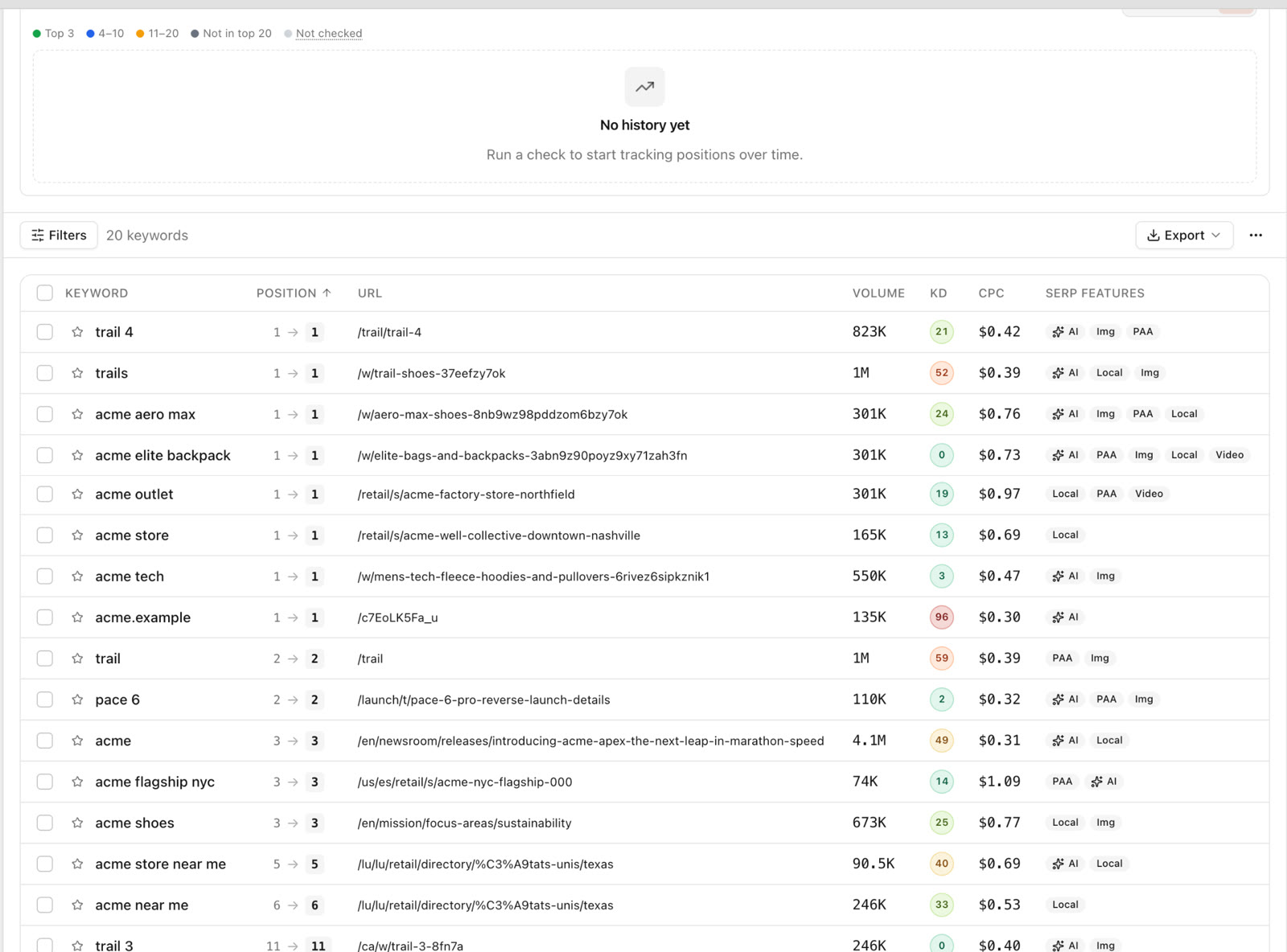
Rank tracking fills the gaps between Search Console's updates and covers keywords where the site gets few impressions yet. If you track hundreds of keywords for research, keep them out of the report and show only the ones the client cares about.
4. AI visibility
Clients now ask whether ChatGPT or Google's AI Overviews mention them. It deserves a short section: for a fixed set of questions your client's buyers ask, how often the brand was mentioned, which competitors were named and which pages were cited.
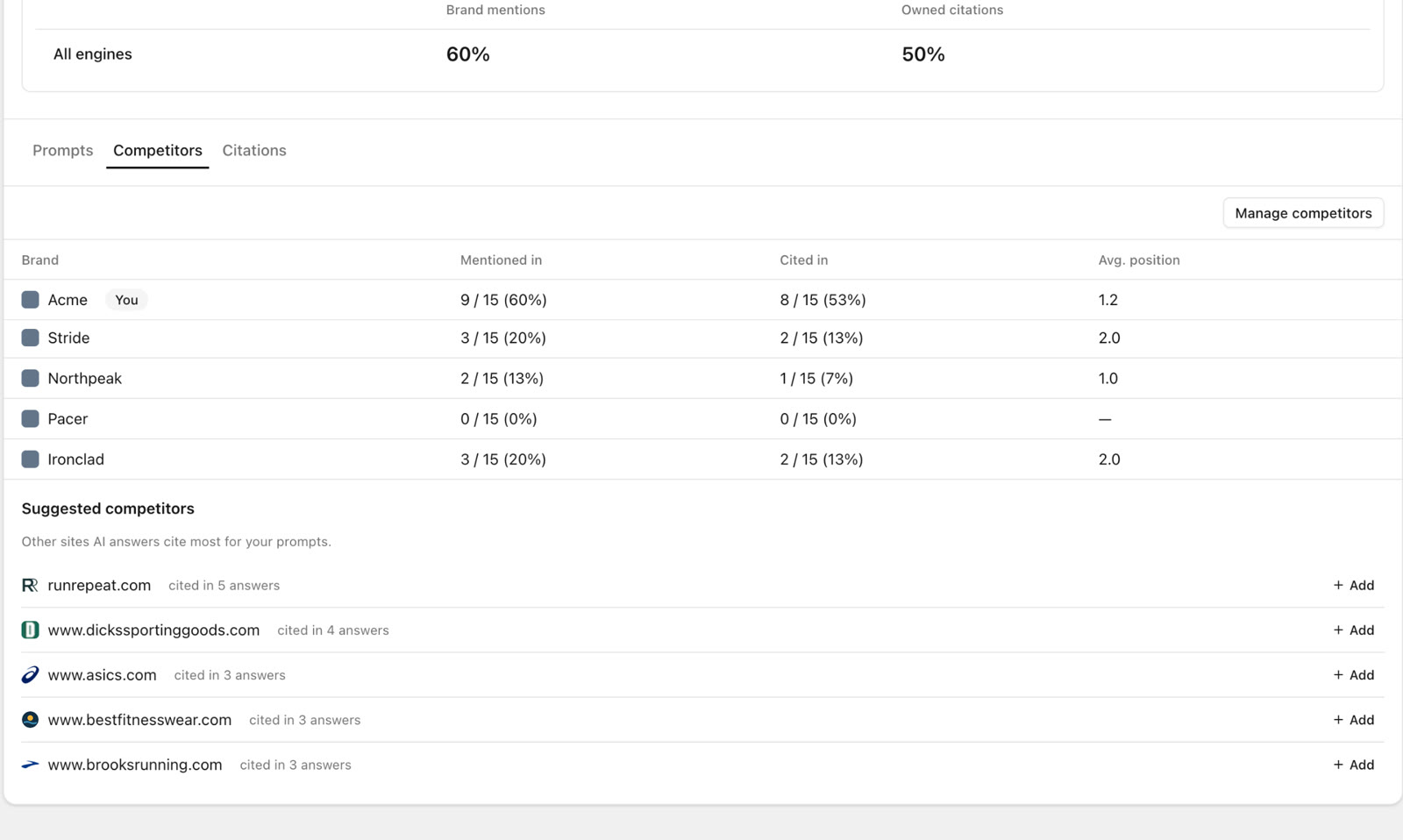
Keep it modest. Nobody can measure how many people ask an AI assistant a given question, and answers change from run to run, so show trends across repeated checks, not single screenshots. Our guide to tracking brand mentions in ChatGPT covers how to pick the questions.
5. Work done
A plain list of what you did, with links: pages published or rewritten, technical fixes, internal links added, outreach sent, links earned. Five to ten lines is enough. If something planned did not happen, say so and why.
6. Next steps
Two to five actions for next month, in priority order, each with an owner and an expected benefit. Mark which benefits are measured and which are estimates. "Rewrite the title on /pricing: it has 4,000 impressions and a 0.8% CTR at position 6, so a better title could plausibly add 30 to 60 clicks a month" is a next step a client can say yes to.
What to leave out
- Vanity scores. Domain authority, "SEO score" and site health percentages mean little to a client and swing for reasons unrelated to your work.
- Every keyword you track. Show the ones tied to goals. Put the full list in an appendix or nowhere.
- Raw backlink counts. Mention specific links earned and why they matter. A total of "+412 backlinks" invites questions about spam.
- Charts without a sentence. If you cannot say in one line what a chart shows and why it matters, remove it.
- Jargon. "Crawl budget", "canonicalisation" and "E-E-A-T" need a plain-language translation or a different sentence.
- Promises. Do not forecast rankings or traffic as if they were guaranteed. Give estimates with their basis, or none.
A client SEO report template
Copy this structure. It fits on two to four pages, which is the right length for a monthly report.
| Section | What goes in it | Length |
|---|---|---|
| Summary | Goal, how the month went, the one thing to know | 1 paragraph |
| Search performance | Clicks, impressions, CTR, position vs previous period and last year; biggest movers | 1 table + 3 to 5 lines |
| Rankings | Positions for 10 to 30 goal keywords, grouped by topic or page | 1 table or chart |
| AI visibility | Mentions, competitors named and cited pages for a fixed set of questions | 3 to 5 lines |
| Work done | What was shipped, with links | 5 to 10 bullets |
| Issues | Anything broken or blocked, with status | 0 to 5 bullets |
| Next steps | 2 to 5 prioritised actions, owner, expected benefit | Numbered list |
| Decisions needed | What you need from the client | 1 to 3 lines |
For a quarterly report, add a short section on strategy: which topics the site is building authority in, and which broader terms come next. Quarterly is also the right moment to revisit the goals themselves.
How long should it take?
If building the report takes longer than an hour per client per month, the process is the problem. The usual time sinks are exporting from Search Console, copying rank data into a spreadsheet, rebuilding the same charts and writing commentary from scratch.
This is work an AI assistant does well, provided it can read the real data rather than guess. That is the approach SEO Sauna takes.
How SEO Sauna builds client reports
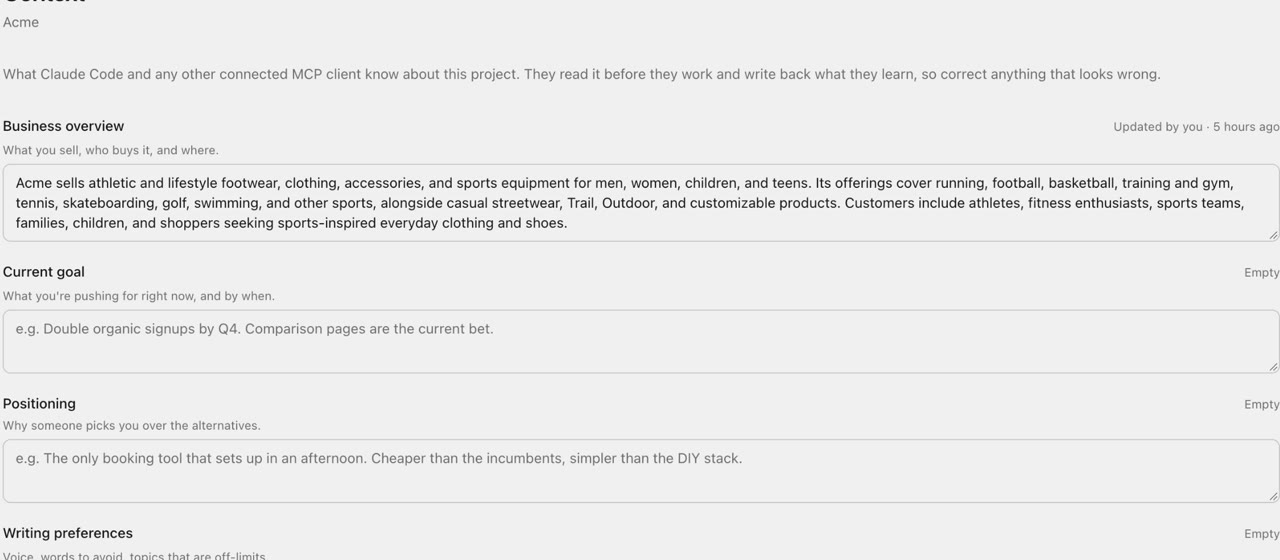
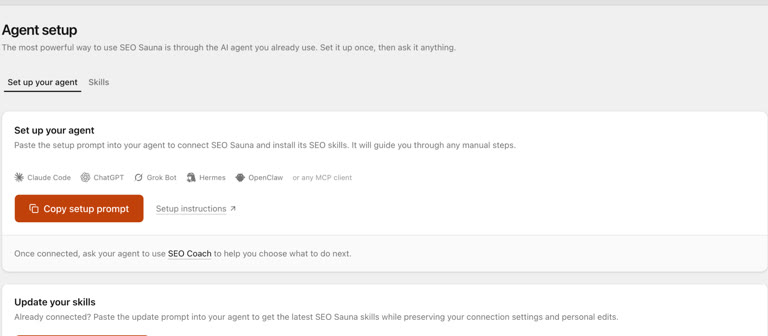
SEO Sauna connects to AI assistants such as Claude, ChatGPT (with a custom connection), Cursor and Codex through MCP, an open standard that lets an assistant call tools on another service. With the connection in place, the assistant can read the client's Search Console data, rank tracking positions, keyword data, backlinks and AI visibility results, then write the report from those numbers. Setup takes a few minutes; see Connect your AI assistant.
1. Set up a project per client
Create one SEO Sauna project for each client, connect their Search Console property and set up rank tracking for the keywords that matter. There is no per-project cap, so every client can have their own. Search Console reads use no credits.
2. Ask for the report
In your assistant, ask for the report in plain language:
Write this month's SEO report for acme-plumbing.fi. The goal is more calls from organic search in Tampere. Compare Search Console clicks and impressions with last month and last year, show positions for the tracked keywords, summarise AI visibility, and end with three next steps with expected benefit. The report is for the client's owner, not an SEO, so keep it plain.
Saying who the report is for matters: the assistant puts it in the byline and pitches the language to match.
3. The report is saved to the project
The assistant writes one self-contained HTML page and saves it to the client's project. It appears on the Reports page in the sidebar, where anyone in your workspace can read it, print it or export it as a PDF. It also opens properly on a phone. Saving reports uses no credits.
The SEO Report skill is what gives the assistant this format: a consistent structure, recommendations with their expected benefit, and a clear line between measured results and estimates. If you ask for a correction, the assistant updates the same report instead of saving a near-copy. Reports have no version history, so a correction overwrites the previous text.
4. Share it with the client
Reports start private. Ask the assistant to "make this report public and give me the share link", and it turns on a public link with the set_report_sharing tool. You can also open the report, click Share and turn on Public link.
The client does not need an SEO Sauna account to open it. The link always shows the latest saved version, it is not indexed by search engines, and you can switch it off again at any time.
5. Reuse your structure with templates
If you want every client report to follow your own sections and tone, save a report template in the project from the Templates page, reached from the Reports page. When you ask for that kind of report, the assistant follows the template. A template changes the sections and the voice, not how the page is built, so it still prints and still works on a phone.
What this does not do
To be clear about the limits: the assistant writes reports when you ask, inside a conversation. SEO Sauna does not email reports to clients on a schedule. Clients get the share link from you, or a PDF you export. The data is real, but the judgment about what it means for the client is still yours, so read the summary before you send it.
Three habits that make client reports better
- Agree the goal and the keyword list at the start. It is much easier to report against something you defined together.
- Report the same sections every month. Clients learn where to look. Change the structure only when the goals change.
- Lead with bad news when there is some. A drop explained before the client finds it is a conversation. A drop they find first is a problem.
If you manage many clients, our guide to rank tracking for agencies covers keeping tracking costs under control, and Google Search Console MCP shows the questions worth asking of Search Console before you write anything.
FAQ
What should an SEO report for clients include?
The goal and a short summary, Search Console clicks and impressions compared with earlier periods, rankings for a short list of goal keywords, AI visibility for a fixed set of questions, the work done and the next steps. Anything that does not show progress, make the work visible or lead to a decision can go.
How often should I send client SEO reports?
Monthly works for most clients, with a longer quarterly report that also reviews strategy and goals. Weekly reports tend to show noise rather than progress, since rankings and clicks move day to day.
How long should a client SEO report be?
Two to four pages for a monthly report. The summary paragraph matters most, because many clients read only that.
Can an AI assistant write my client SEO reports?
Yes, if it can read the real data. Connected to SEO Sauna over MCP, an assistant reads Search Console, rankings and AI visibility results, writes the report and saves it to the client's project. You should still check the summary and recommendations before sharing.
Do SEO Sauna reports cost credits?
No. Saving, reading and sharing reports uses no credits, and neither do Search Console reads. Credits are used only when the assistant fetches paid data such as new keyword metrics or rank checks.
Can clients see reports without an account?
Yes. Turn on a public link for the report and send it. The client can open it without signing up, the link is not indexed by search engines, and you can turn it off at any time.
More from the blog
 AI discoverability audit: how to run an AI visibility audit
An AI discoverability audit shows whether ChatGPT, Gemini and Google AI name and cite your brand, and why not. Steps, prompts and what to fix first.
AI discoverability audit: how to run an AI visibility audit
An AI discoverability audit shows whether ChatGPT, Gemini and Google AI name and cite your brand, and why not. Steps, prompts and what to fix first.
 ChatGPT MCP server for SEO: connect live SEO data
Connect an SEO MCP server to ChatGPT as a custom connection on Free or paid plans: step-by-step setup, error fixes and SEO prompts with real keyword data.
ChatGPT MCP server for SEO: connect live SEO data
Connect an SEO MCP server to ChatGPT as a custom connection on Free or paid plans: step-by-step setup, error fixes and SEO prompts with real keyword data.