Rank tracker for agencies: what matters and what it costs
A rank tracker for agencies must handle many clients without the bill exploding. What counts, how costs scale with clients and where SEO Sauna fits.
For a single website, almost any rank tracker will do. For an agency, the choice shows up in the margins. Every new client adds keywords, maybe a second market and a reporting deadline, and most trackers price that growth in steps: more projects, more keywords, more seats, a white-label add-on.
The result is familiar. You sign three new retainers and suddenly need the next plan up, which costs more than the three clients pay you for tracking. Or you cut keyword lists to fit a cap instead of tracking what the client actually cares about.
This guide covers what an agency really needs from a rank tracker, how costs scale with the number of clients and where SEO Sauna fits, including what it does not do.
What agencies need from a rank tracker
Many projects without a project cap
Agencies rarely track one site. You track every client, often their main competitors, sometimes a few prospects you are pitching. A tracker that caps projects per plan pushes you to upgrade for reasons that have nothing to do with keyword volume.
Budget control per client
Clients pay different retainers. A local plumber does not need 500 keywords checked daily on two devices; an ecommerce client in peak season might. You want to set tracking per client so the cost of each one matches what they pay, and you want to see that cost before it runs.
Flexible scheduling
Daily for the client in the middle of a migration. Weekly for the steady ones. Monthly, or on demand, for the small accounts where you only report once a month anyway. One schedule for every client wastes money.
Local and multi-market tracking
Agency clients include local businesses that need city-level results and exporters that need several countries. Each market is effectively its own result page, so the tracker should handle both national and city-level locations per client.
Reporting and client sharing
Clients do not log into your tools. They want a short, clear update: what moved, why and what happens next. The tracker should make it easy to get from raw positions to that update, and to share it in a way the client can open on a phone.
Team access
Several people in the agency touch the same client. Shared projects and reports matter more than individual dashboards.
How rank tracking costs scale for agencies
Rank tracking is the cost that grows fastest in an agency, because it runs on a schedule for every client, every week, whether anyone looks at it or not.
Most tools price it in buckets. Some examples from the vendors' pricing pages in October 2026, monthly billing, excluding VAT, as shown to European visitors:
| Tool | Plan | Price | Tracked keywords | Projects or websites |
|---|---|---|---|---|
| SE Ranking | Core / Growth | about €109 / €235 per month | 2,000 / 5,000, daily | 10 / 30 projects |
| Semrush | SEO / Pro+ | about €134 / €286 per month | 500 / 1,500, daily | 5 / 15 websites |
| Ahrefs | Lite / Standard / Advanced | about €119 / €229 / €419 per month | 750 / 2,000 / 5,000 | 5 / 20 / 50 non-verified projects |
| AccuRanker | Professional / Expert | about €224 / €764 per month | 2,000–5,000 / 10,000–25,000, daily | Unlimited users and domains on Enterprise |
| Mangools | Agency | €97.70/month billed annually | 1,500, daily | Unlimited domains |
These tools are good at what they do. SE Ranking and AccuRanker in particular are built with agencies in mind, and SE Ranking's Agency Pack and Semrush's Pro Report add-on offer white-label reporting. The point is the shape of the cost: it jumps when you cross a project or keyword limit, not when your work changes.
A worked example
Say you have 15 clients. Ten are local or small businesses where 50 keywords on mobile, checked weekly, is plenty. Five are larger, with 200 keywords each.
That is 1,500 keywords in total. In a bucket model you need a plan with at least 1,500 tracked keywords and at least 15 projects or websites. Depending on the tool, that is anywhere from about €100 to €300 a month, and adding the 16th client may mean the next plan.
How SEO Sauna fits an agency
SEO Sauna is €59/month excluding VAT and includes 17,000 usage credits (€17) each month. Rank tracking, keyword research, backlinks, site audits and AI visibility are paid from credits. Extra credits cost €1 per 1,000, never expire and are only bought when you need them.
Unlimited projects
There is no per-project cap. Create a project for every client, every prospect and every competitor you want to study. Projects, settings and data you already fetched cost nothing to view.
Tracking you configure per client
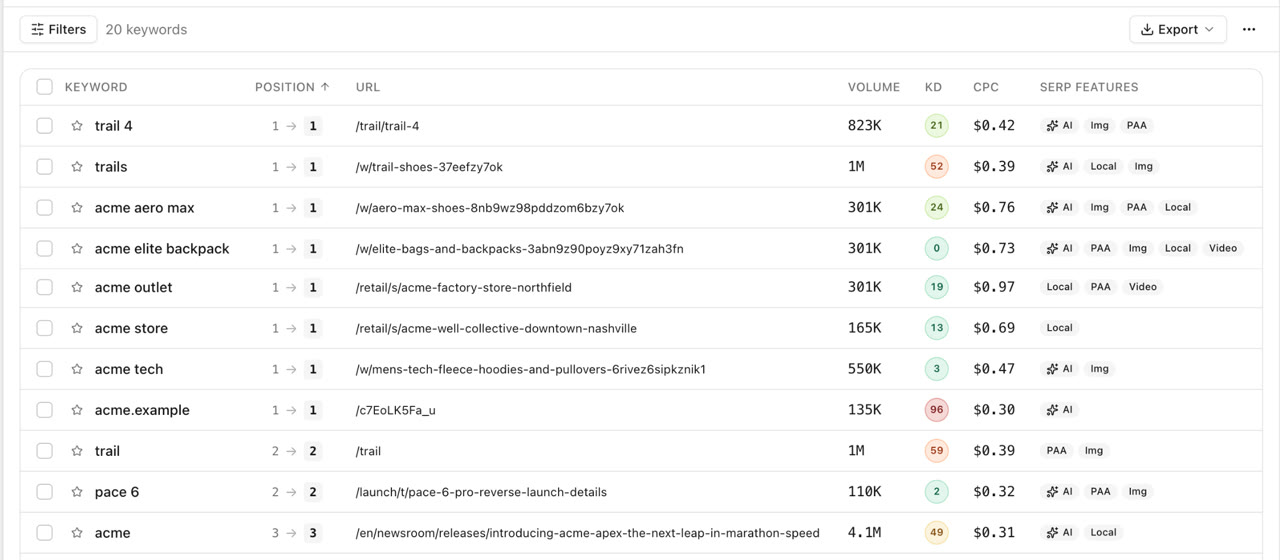
Each tracker is set per domain and market. You choose the keywords, the device (desktop, mobile or both), how many SERP pages deep to check (from one to ten) and the schedule: daily, weekly, monthly or manual. Trackers can be national or city-level, and each result shows the ranking URL and the SERP features on the page, including AI Overviews.
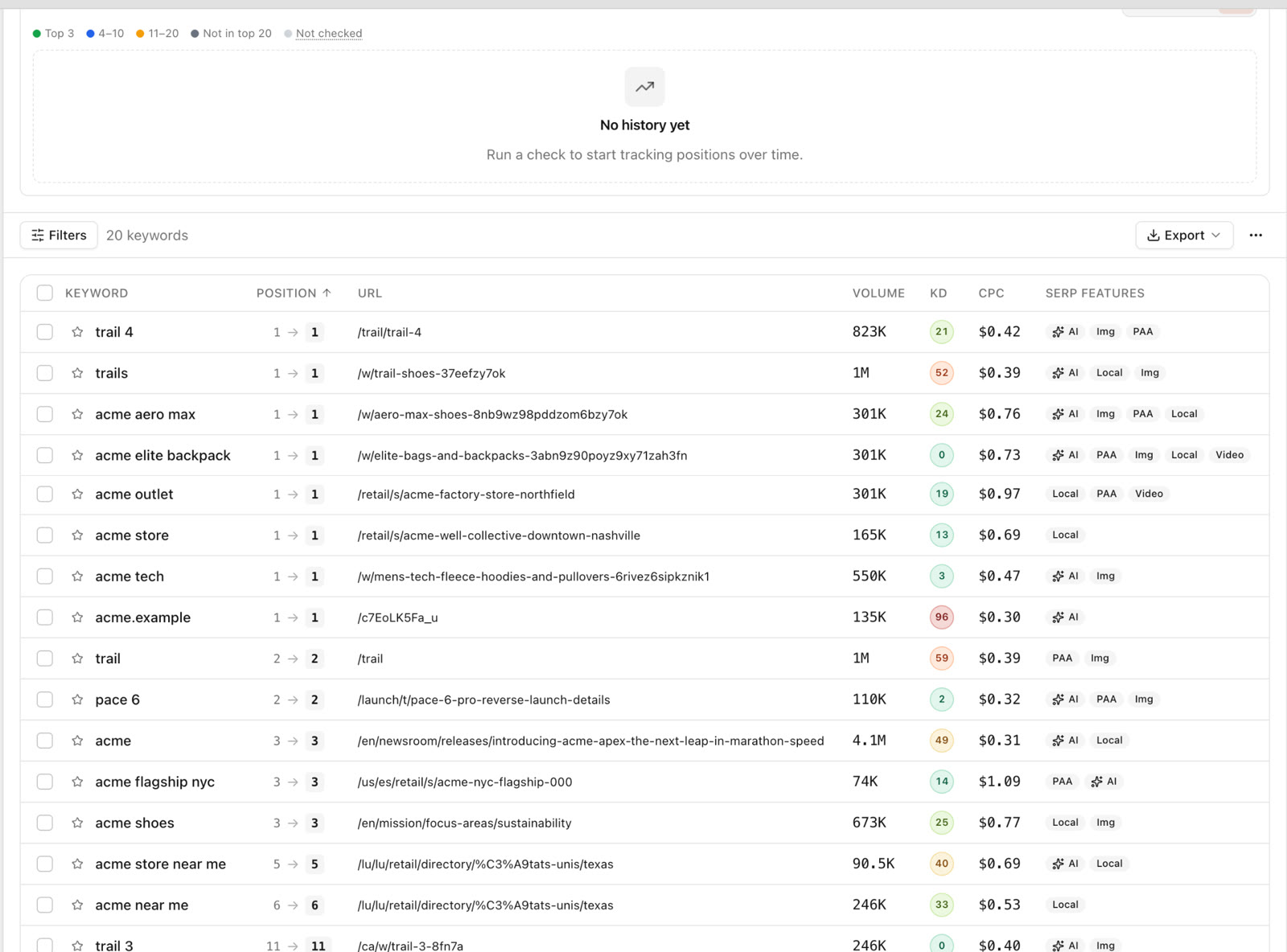
Before a tracker runs, SEO Sauna shows a live cost estimate. As a rough guide, 100 keywords on one device, five pages deep, weekly costs about €1–2 a month in credits. More depth, the second device or daily checks raise it roughly in proportion.
Back to the example: 1,500 keywords, mobile only, weekly, five pages deep is roughly €15–30 a month in credits by that guide. That fits mostly or fully inside the included credits, with a small top-up at the higher end. The 16th client adds a few euros, not a plan change. Clients who need daily checks cost more, and you can see exactly how much before you switch them.
To be fair: if most of your clients need daily tracking on both devices with large keyword sets, the credit cost adds up, and a dedicated tool may come out cheaper. Run the estimate for your real client mix.
Search Console for every client, without credits
Connect each client's Google Search Console to their project. Reading Search Console data uses no credits, so you get every query's clicks, impressions and average position for free and keep paid rank tracking for the keywords that need exact positions.
Reports saved to the client project
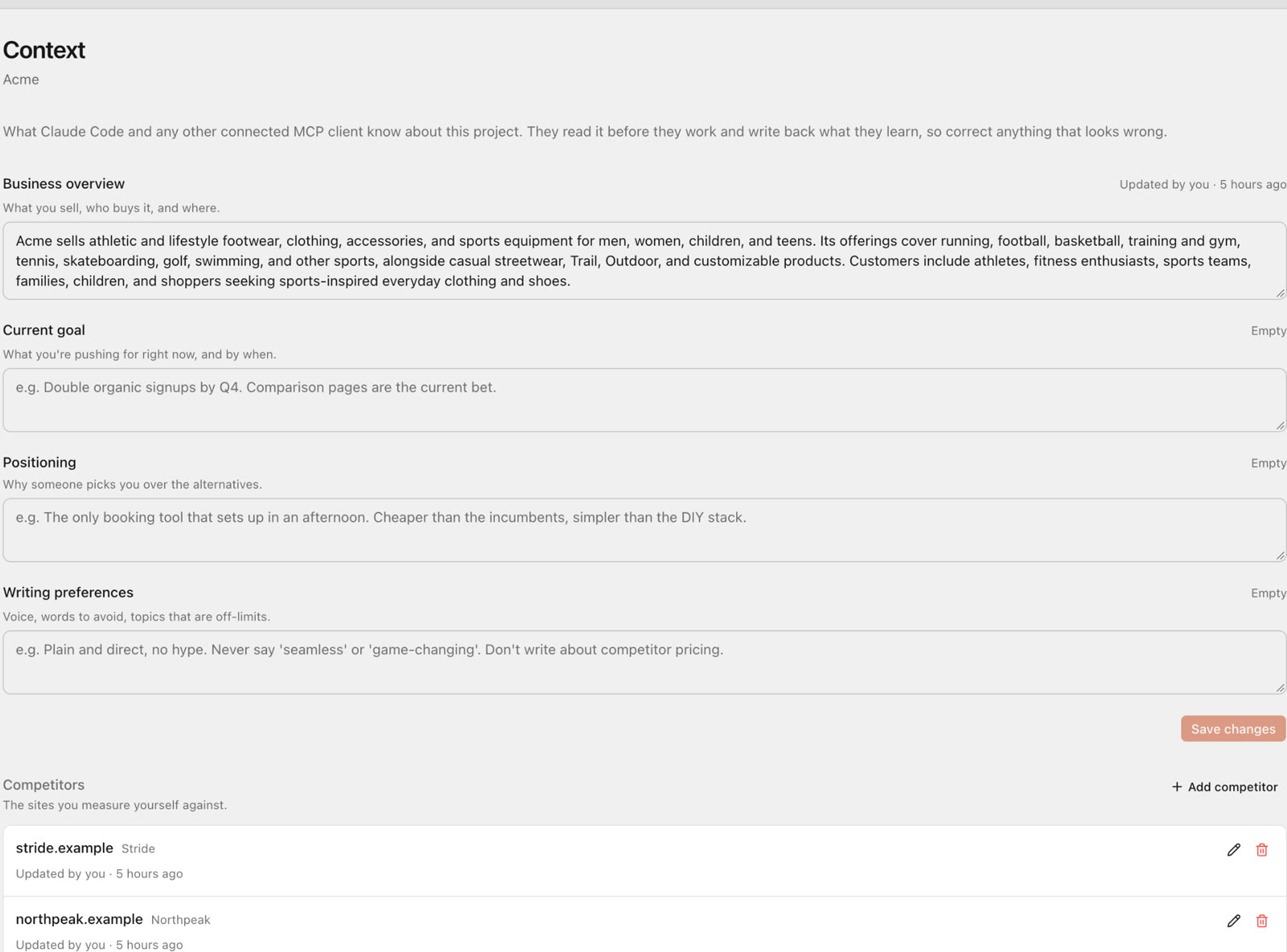
When an AI assistant connected over MCP finishes a piece of work, such as a monthly ranking review, it saves a self-contained HTML report into the client's project. Anyone in your workspace can open, print or export it from the Reports page. Reports use no credits.
You can also make a report public and send the link to the client. They do not need an SEO Sauna account, the link always shows the latest saved version and it is not indexed by search engines. See the SEO report skill for how it works and our guide to an SEO report for clients for what to put in one.
An AI assistant that works per client
SEO Sauna has an MCP server at https://app.seosauna.com/mcp that works with Claude, ChatGPT (custom connection), Cursor, Codex and other MCP clients. The assistant can list your projects, read each tracker's configuration and latest positions, and combine that with Search Console, keyword and backlink data.
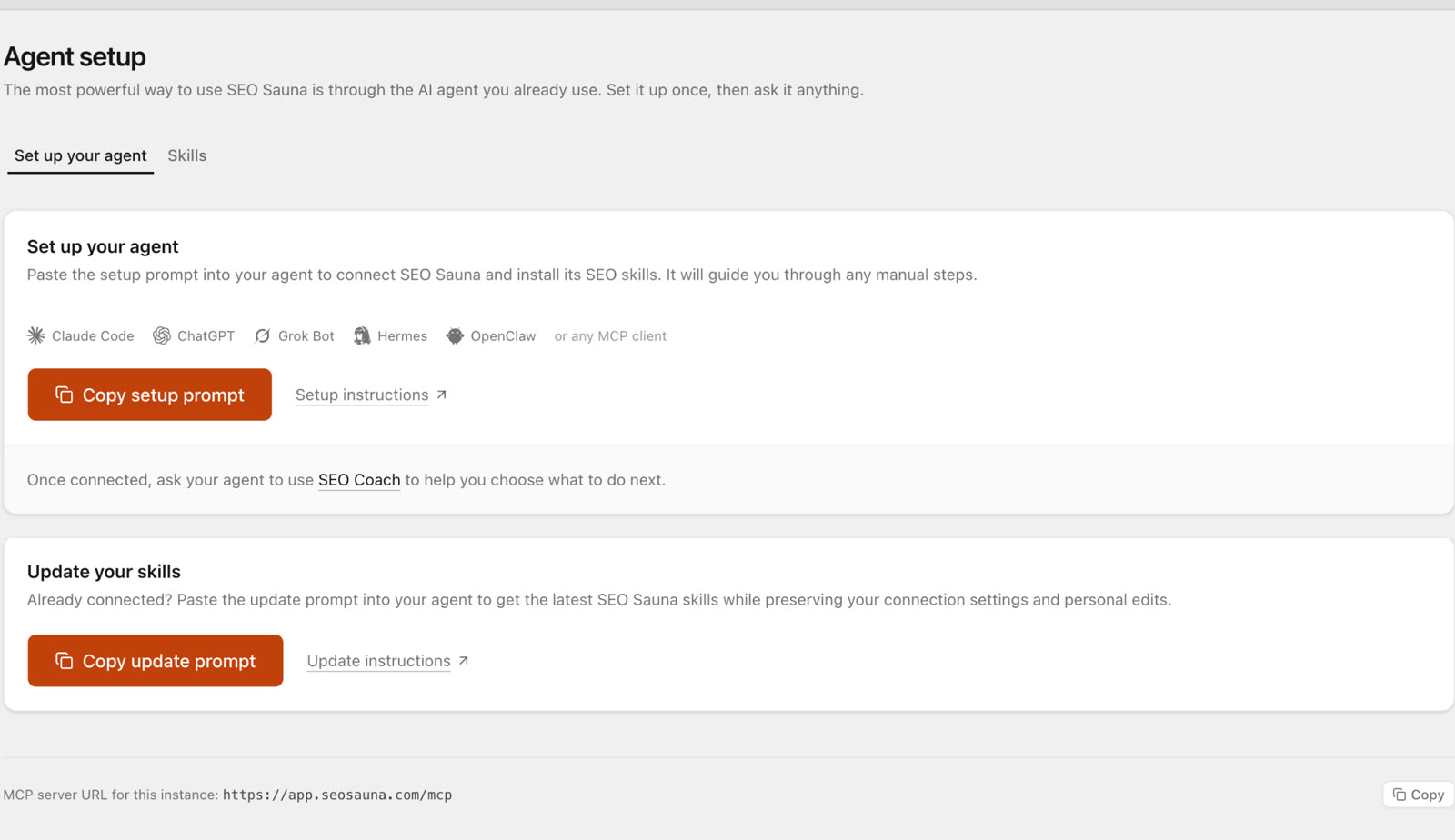
In practice that turns the monthly reporting round into prompts like:
For each client project, compare this week's tracked positions with four weeks ago. List the biggest gains and losses, the ranking URL for each, and whether an AI Overview appeared. Save one report per client.
For the Tampere plumber project, which tracked keywords dropped out of the top 10 this month? Check Search Console for the same queries and tell me whether clicks fell too.
Setup takes a few minutes and is described in Connect your AI assistant.
What SEO Sauna does not do
Being clear about this saves you a trial:
- No white-label reports. SEO Sauna does not offer white-label reporting. If branded PDFs are a hard requirement, SE Ranking, Semrush (Pro Report add-on) or Wincher are better fits.
- No client portal. Clients get a public report link, not their own login to a dashboard.
- No ranking history before you start. Tracking starts from the first check. Search Console gives you up to 16 months of average positions to fill the gap.
- Fewer built-in reporting dashboards than mature agency tools. The assistant writes the analysis; you do not get a drag-and-drop report builder.
A setup that works for most agencies
- One project per client. Add the client's domain, market and main competitors.
- Connect Search Console for each client. It is free and gives you the full query picture.
- Track the keywords you report on. Usually 30 to 200 per client, on the device most of their customers use.
- Weekly by default. Move a client to daily only during migrations, launches or campaigns, and back afterwards.
- Five pages deep for established sites, deeper for new content you want to see climb.
- Monthly report per client, written by the assistant from tracked positions and Search Console, saved to the project and shared by link.
- Review credit use monthly. The estimate per tracker shows where the money goes.
For a wider look at how the rest of SEO Sauna fits client work, see the SEO Sauna overview and our comparison of the best rank trackers.
FAQ
What is the best rank tracker for agencies?
It depends on your client mix. For large keyword sets with daily updates and white-label reports, AccuRanker or SE Ranking are strong choices. For many smaller clients where you want to control cost per client and use an AI assistant for reporting, SEO Sauna is a good fit.
Does SEO Sauna limit the number of client projects?
No. There is no per-project cap. Rank tracking and other data features use credits, so the cost follows what you track, not how many projects you have.
Does SEO Sauna offer white-label reports?
No. Reports can be shared with clients through a public link that needs no account, but SEO Sauna does not offer white-label reporting. If white-label output is a must, choose a tool that offers it.
How do I keep rank tracking costs predictable across clients?
Set tracking per client to match the retainer: fewer keywords, one device and weekly checks for small accounts, more for larger ones. SEO Sauna shows a cost estimate before each tracker runs, so you can review the total before the month starts.
Can my AI assistant report on rankings for each client?
Yes. Connect Claude, ChatGPT, Cursor or another MCP client to SEO Sauna and it can read each project's tracked positions, compare periods, check Search Console and save a report into the client's project.
More from the blog
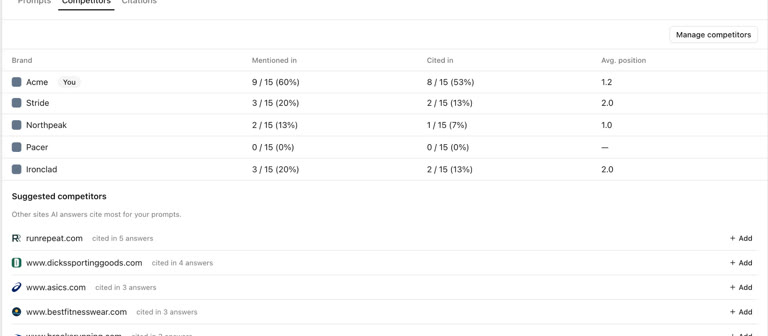 AI discoverability audit: how to run an AI visibility audit
An AI discoverability audit shows whether ChatGPT, Gemini and Google AI name and cite your brand, and why not. Steps, prompts and what to fix first.
AI discoverability audit: how to run an AI visibility audit
An AI discoverability audit shows whether ChatGPT, Gemini and Google AI name and cite your brand, and why not. Steps, prompts and what to fix first.
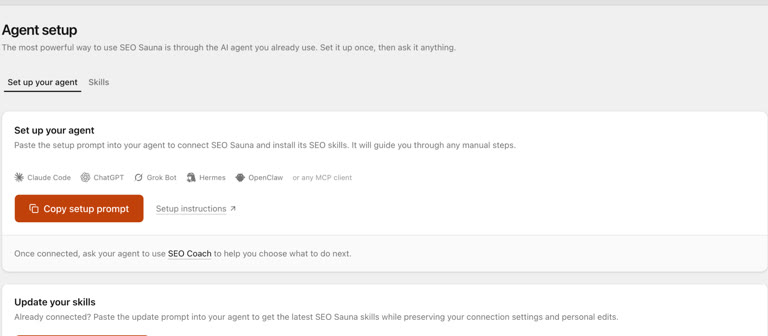 ChatGPT MCP server for SEO: connect live SEO data
Connect an SEO MCP server to ChatGPT as a custom connection on Free or paid plans: step-by-step setup, error fixes and SEO prompts with real keyword data.
ChatGPT MCP server for SEO: connect live SEO data
Connect an SEO MCP server to ChatGPT as a custom connection on Free or paid plans: step-by-step setup, error fixes and SEO prompts with real keyword data.